One customer brand can hide several legal entities, regional teams, billing accounts, and renewal owners. A Salesforce account hierarchy can make those relationships easier to view, but a parent-child tree cannot carry every business rule on its own.
Before setting Parent Account values, decide what the hierarchy is meant to represent. A clear model prevents misleading rollups, broken imports, and reports that combine records with different commercial meanings.
Start by separating the relationships that matter to your business.
Separate the business dimensions before building a tree
A parent account is a structural relationship, not a universal definition of a customer. Salesforce uses the standard Parent Account relationship to display a company and related accounts in a hierarchy, as described in its account relationship glossary.
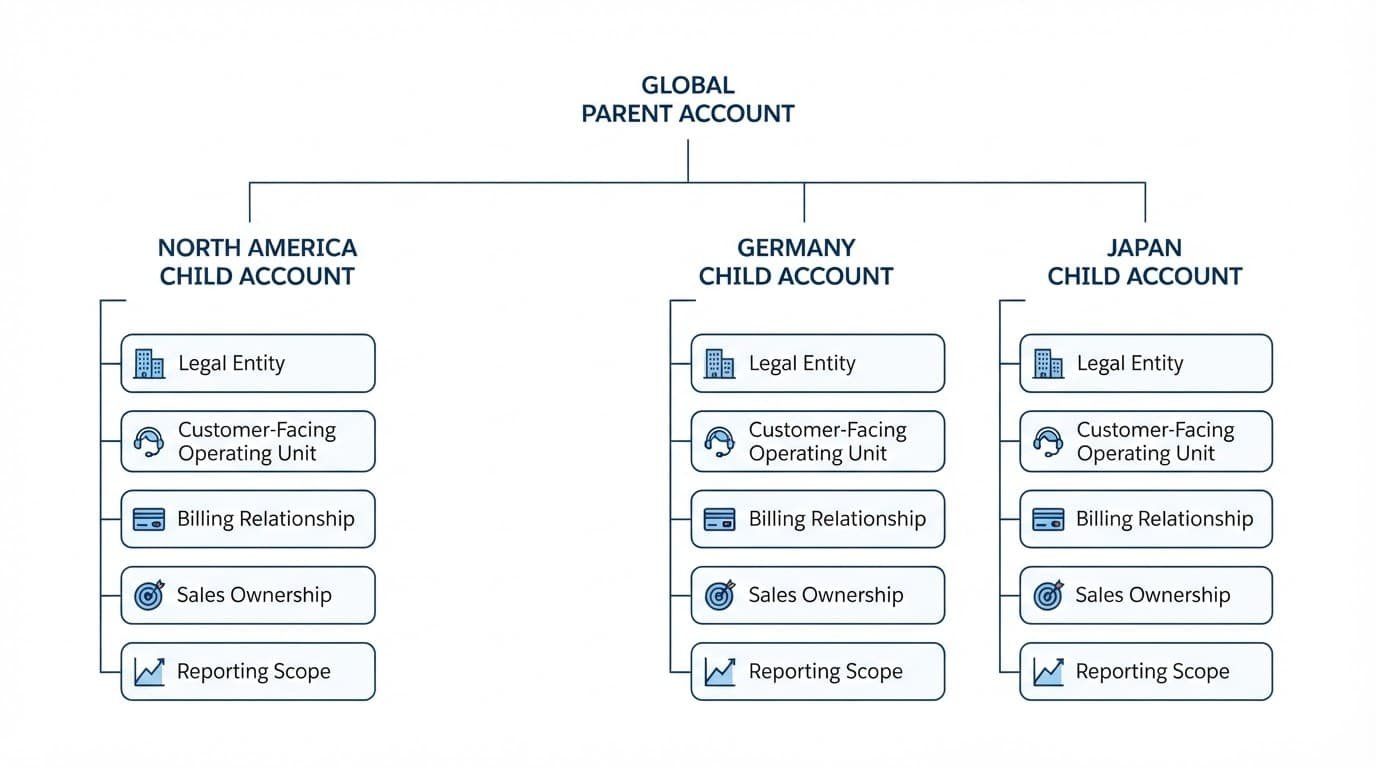
Corporate ownership and legal entities
Corporate ownership answers who controls a business group. A holding company or global headquarters may be the logical parent when sales and leadership need a group-level customer view.
A legal entity answers who signs contracts, accepts liability, or pays tax. One corporate group can contain several legal entities, each with its own address, registration number, and currency. Legal entities often belong in the tree as child accounts, but only when that structure matches how users identify the customer.
Do not make a legal entity the parent merely because it is the largest subsidiary. The parent should describe the relationship that users need to see most often.
Operating units, billing, sales, and reporting
A customer-facing operating unit might be a regional office, business division, or subsidiary that uses your SaaS product. It may have no separate legal status. Billing can also follow a different pattern, such as one payer covering several operating units.
Sales ownership is separate again. A global account executive may own the parent while regional representatives own child accounts. Reporting may need a group identifier that cuts across the hierarchy, especially after acquisitions or reorganizations.
A billing account can appear in the visual tree, but invoice consolidation still depends on the billing data model and integration.
Write a one-sentence definition for each relationship before you configure records. For example: “The Parent Account identifies the customer group used for account planning and executive reporting.”
Design a Salesforce account hierarchy before configuration
Treat the Salesforce account hierarchy as a customer-structure view. Use additional fields and related processes for facts that do not fit a single parent-child relationship.
An illustrative SaaS customer model
Consider this illustrative customer, not a universal template: ApexArc Group has a U.S. legal entity and a German legal entity. Both use the same SaaS platform. The U.S. entity signs and pays for its subscription in USD, while the German entity has a separate agreement and pays in EUR.
ApexArc Group can be the parent account if leadership wants a global customer view. ApexArc US LLC and ApexArc GmbH can be child accounts because each has a distinct contract, renewal, and operating presence.
However, a shared product tenant should not become a third child just because it is shared. Store its reference through a field or related record that matches your product and subscription model.
Use this decision guide when selecting the data location:
| Business need | Recommended model | Why the tree is insufficient |
|---|---|---|
| Global customer view | Parent Account relationship | It shows group structure. |
| Legal identity | Legal-entity attributes and identifiers | Entities can share ownership but differ contractually. |
| Billing responsibility | Billing-system reference or billing relationship | One payer can cover several accounts. |
| Sales coverage | Account owner, teams, and territory setup | Access and assignment need separate rules. |
| Reporting grouping | Controlled reporting identifier | Reporting groups can change without reparenting records. |
Choose stable keys and controlled values
Give every account a unique external business identifier. Use that identifier for imports, integrations, and duplicate review. Account names change after rebrands, mergers, and translations, so they are poor matching keys.
Add controlled values for account purpose, legal-entity status, operating region, and reporting group where your requirements need them. Avoid free-text fields for classifications that reports or automation depend on.
Keep the Parent Account relationship focused. If a child account changes billing provider but remains part of the same customer group, its parent usually should not change.
Implement the structure in controlled stages
Salesforce’s account hierarchy setup guidance confirms that the hierarchy is based on accounts related through Parent Account. Verify the available actions, hierarchy columns, permissions, and behavior in your own edition and release before deployment.
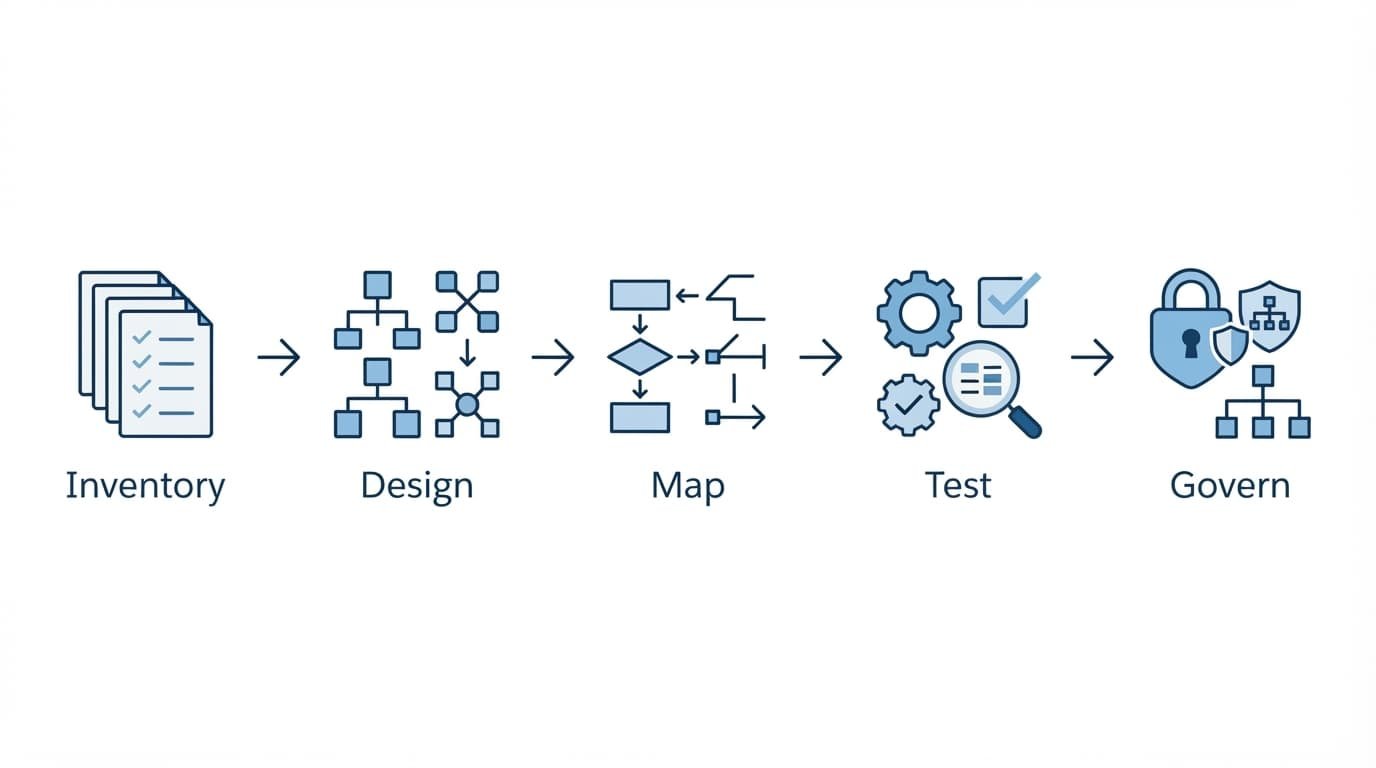
Load and relate records in the right order
Use a controlled migration sequence:
- Export the current account population with record IDs, external identifiers, Parent Account values, owners, and the fields that drive reporting or integrations.
- Identify root accounts first. Resolve duplicates, self-references, circular relationships, and child records whose proposed parent does not exist.
- Create or update parent records before loading children. When importing a hierarchy, the parent must already be available for the child record to reference it by Salesforce ID or external identifier.
- Apply Parent Account values only after the mapping passes review. Retain an import log with old and new identifiers, source files, errors, and reparenting decisions.
- Configure hierarchy columns around useful context, such as owner, operating region, legal-entity marker, and reporting group. Do not expose sensitive financial fields merely because they are helpful to some users.
Configure access separately from structure
Account ownership and sharing do not automatically follow a visual tree. Set the owner of each account based on the sales coverage model, then test access using real user profiles.
If account teams are enabled, add them as an explicit access requirement. Do not assume that a team member on a global parent gets access to every subsidiary. Ownership changes can also affect account team membership, so test transfers before using them in a bulk process.
Territory assignment needs the same care. Model and validate territories separately because an account hierarchy does not replace Enterprise Territory Management rules or territory reporting.
Run migration checks and scenario tests
A clean hierarchy needs validation before and after the data load. Test in a sandbox or another non-production environment with a representative data set, including inactive subsidiaries and unusual customer structures.
Check the source file before loading
Review each proposed relationship against the written model. Confirm that every child has one intended parent, every parent key resolves to a single record, and no record references itself.
Also compare account counts by region, entity type, and reporting group before and after migration. A hierarchy can look correct while records silently move into the wrong report segment.
Preserve a reparenting register. It should identify the old parent, new parent, effective date, reason, approver, and the person who made the change.
Test real operating scenarios
Use test cases with clear expected results instead of relying on a visual review:
- A regional sales representative can view the assigned child account but cannot see account details that sharing rules should restrict.
- A global account manager can find the parent and understand which legal entities sit beneath it.
- A change to a child account owner does not remove required access or create unexpected account team gaps.
- A user attempting to create a duplicate subsidiary triggers the intended matching and review process. The hierarchy itself does not prevent duplicate accounts.
- A report that includes U.S. and German opportunities displays currency values according to the org’s configured currency behavior.
If one contact works across entities, do not create duplicate contact records by default. Salesforce’s multiple-account contact considerations explain that indirect account-contact relationships have limitations, including how duplicate management compares records.
Address billing, currency, and governance after launch
A Salesforce account hierarchy does not consolidate billing records, subscriptions, revenue, permissions, or territory assignments. Those outcomes require their own objects, integrations, configuration, and tests.
Keep financial relationships explicit
Use the billing platform or Revenue Cloud configuration as the source of truth for bill-to relationships, invoices, credits, and subscription consolidation. Map those records to the appropriate account identifiers instead of assuming a parent account is the payer.
Multi-currency adds another layer. Salesforce warns that enabling the feature creates permanent org changes in its multiple-currency considerations. Confirm how reports, conversion rates, and integrated billing data behave before presenting group-level financial totals.
Set a governance routine
Assign a data steward for parent-child changes. Require a short request that states the business reason, effective date, affected contracts, reporting impact, and whether billing or sales coverage also changes.
Review exception reports monthly. Look for accounts without a parent where one is expected, duplicate external identifiers, circular references, and inactive entities attached to active customer groups.
Document when to reparent, merge, deactivate, or retain a legacy entity. Merging accounts can affect related records and reporting history, so treat it as a controlled data change rather than routine cleanup.
Build the Tree Around a Clear Meaning
A useful hierarchy starts with one stable meaning for the parent relationship. Corporate ownership, legal entities, operational units, billing, sales coverage, and reporting often overlap, but they should remain distinguishable in the data model.
The strongest setup keeps the tree simple and records the other relationships explicitly. That approach gives sales teams a readable customer view without turning Parent Account into a catch-all field.
Next, export ten multi-entity customers and write the intended parent-child relationship for each before changing any production records.
