Usage billing can expose product rules you didn’t know you had. A customer buys 10 seats, creates 12, downgrades mid-month, and expects existing work to remain intact. If those rules only live in checkout code or invoice logic, every pricing change becomes a production risk.
SaaS entitlements give your product a clear answer to one question: what may this account do right now? Define that answer before charging for consumption, so future billing changes stay safer. It supports usage-based pricing, flexible pricing and packaging, and a coherent pricing strategy. It also strengthens software monetization and monetization infrastructure, preventing technical debt and keeping these rules out of brittle custom code.
Key Takeaways
- Define SaaS entitlements before implementing usage billing so product access rules remain separate from billing status and provider webhooks.
- Build a durable product catalog with stable capability identifiers, clear entitlement types, defined scope, precedence, effective dates, and limit behavior.
- Make upgrades, downgrades, grandfathered plans, overages, and grace periods explicit customer policies before changing a plan’s allowed state.
- Use an idempotent metering path with immutable event IDs and a local usage ledger to handle retries, late events, corrections, and provider changes safely.
- Version and test entitlement policies, then expose usage, limits, reset dates, overrides, and audit history to customers and support teams.
Why SaaS entitlements must come before usage billing
Billing systems record money owed. An entitlement management system determines what the application can permit. They overlap, but they shouldn’t be the same system.
A billing provider using subscription management knows whether a subscription is active, canceled, or past due. Your app needs more detail. Can this workspace invite another member? Can it export data? Does it have 4,000 API calls remaining this month? Those are runtime decisions.
A dedicated entitlement layer translates commercial terms into stable product rules. That separation keeps a plan rename, coupon, invoice correction, or payment retry from rewriting application logic.

Keep permissions, feature flags, and entitlements distinct
Role-based access control is part of the broader access control category. It answers, “What can this user do within their account?” User permissions determine whether an admin can manage billing while a member cannot. Both users can still belong to the same paid workspace.
Feature flags control product releases. They help you test a beta interface or gradually release a capability. Flags are temporary by nature and often target cohorts or internal users.
Entitlements govern what the customer purchased or negotiated. They are account-level commercial promises. A user might have an admin role, see a feature flag, and still be denied an export because their account has no export entitlement. Feature flags and feature gates can control feature access during a rollout, but neither defines what a customer purchased.
Billing status can inform access, but a billing webhook should not be the only place your application decides access.
Design SaaS entitlements as a product catalog
Start with the actions and resources customers recognize, not with plan names. Customer-facing pricing models change over time, so map durable capabilities to pricing plans instead of relying on names like “Growth” and “Pro.” “Can create automations” and “may keep 25 active automations” are product rules.
For each capability, define its unit, scope, evaluation time, and behavior at the limit. A single catalog can support pricing and packaging across multiple packages. It avoids plan-specific checks in your application code, such as if plan == pro.
Stripe’s entitlements documentation describes mapping product features to billing products. Even if you use another provider, the underlying boundary is useful: product features need identifiers that remain stable when pricing changes.
Use the right entitlement type
Most SaaS products need several entitlement types at once:
- Boolean features answer whether an account has feature access, not whether an individual holds a role. Examples include SSO, custom domains, audit-log export, or API access.
- Configuration values set a product option. A plan may allow 5-day data retention, 90-day retention, or a specific support tier.
- usage limits cap a count or quantity. Seats, projects, stored contacts, monthly messages, and API calls fit here.
- Credits create a spendable balance. For example, an account may receive 500 AI-generation credits each month.
- Overage rules state what happens after included usage runs out. You may block activity, bill per unit, or allow a temporary buffer.
This simple reference table helps teams write policies before they write metering code.
| Product capability | Entitlement type | Example policy |
|---|---|---|
| API access | Boolean | Available only on paid plans |
| Workspace members | Hard limit | Up to 10 active seats |
| Email sends | Monthly quota | 25,000 included each billing period |
| AI actions | Credit balance | Deduct one credit per completed action |
| Extra API calls | Overage rule | Continue service and bill per 1,000 calls |
Keep names product-oriented and durable. api_requests_monthly will age better than pro_api_limit, because the same metric can support several packages.
Write policy rules that code can evaluate
An entitlement management system becomes dependable when each decision has a defined input and output. Your application code should ask a central service for an account’s effective entitlement, then act on a clear result.
A useful response includes the current value, usage limits, the unit, the period boundary when relevant, the source, and the enforcement state. For example, a workspace might receive seat_limit: 10, active_seats: 9, status: allowed, and source: contract_override.
Set scope and precedence before launch
Decide whether each rule applies to an organization, workspace, project, user, or resource. Seat limits usually belong to the workspace. A personal export feature could belong to the user. Consumption may need both an account owner and a project identifier.
Then define which record wins when several rules apply. A practical order is:
- A time-bound support or migration override takes priority.
- An enterprise overrides record comes next.
- A grandfathered plan rule follows.
- The active plan supplies the public default.
- A product-wide safe default applies only when no commercial record exists.
Store both the winning value and its source. Otherwise, a support request about a strange limit turns into an archaeological dig through subscription events.
Separate the policy engine from provider webhooks
Webhooks are useful signals, but they are not a safe runtime policy API. They can arrive late, retry after a timeout, or arrive out of order. A payment event should update your subscription management projection, while feature flags may change release exposure separately. That projection can then refresh the entitlement record, which represents a commercial rule.
For runtime enforcement, your app should query the entitlement layer for a decision, not parse raw provider events. This creates an anti-corruption layer between the provider’s subscription vocabulary and your own product model.
For example, a billing provider may call a package item a price or rate. Your application code only needs to know that team_member_limit is 10. If you later switch providers or restructure products, the application code stays stable.
Plan changes need explicit customer rules
An upgrade or downgrade is more than a new plan ID. Pricing plans change a customer’s allowed state while data already exists. Define transition rules as part of your pricing strategy and pricing and packaging before building checkout.
Usage-based pricing models often combine a base subscription with included usage and overages. This hybrid pricing approach makes transition rules especially important.
Handle upgrades and mid-cycle changes
Decide whether an upgrade takes effect immediately or at the next renewal. Immediate access is common for added seats and newly unlocked features. If the plan includes a monthly quota, decide whether to grant the new allowance at once, prorate it, or hold it until the next cycle.
Record an effective timestamp for every entitlement change. The meter must evaluate events against the policy active when the usage occurred, not the policy that exists when an invoice is generated.
Suppose an account moves from 10,000 to 50,000 monthly API calls on the 20th. Your written rule might grant the full 50,000 allowance immediately or add only a prorated increment. Either approach can work. An unstated approach produces disputes.
Make downgrades safe without hiding the limit
A downgrade can leave an account above its new seat, storage, or project usage limits, but don’t delete customer data to force compliance. Preserve resources, restrict the next expansion action, or require cleanup by a stated date.
For a workspace with 14 active seats moving to a 10-seat plan, you might let all 14 users sign in until renewal while blocking new invitations. Another policy can require the admin to deactivate four seats before the downgrade date. Enterprise overrides may set different terms, but state each rule during checkout and inside the product.
Grandfathered plans need their own immutable entitlement version. Treat grandfathering as a historical policy, preserving the old package’s exact values, effective dates, and retirement status rather than guessing which modern features it “probably” included.
Build an idempotent metering path
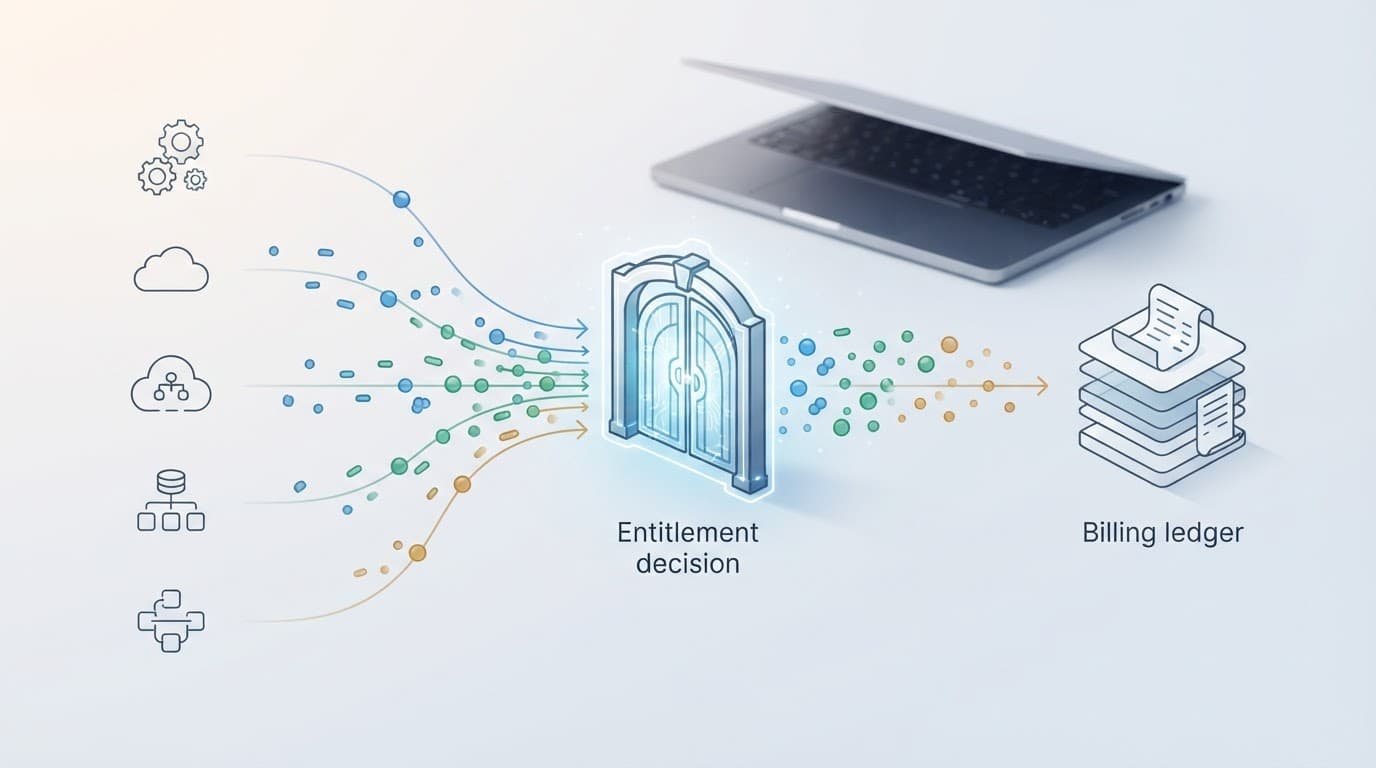
Usage-based pricing depends on a metered usage path that survives retries, late delivery, and duplicated messages. Your meter should receive a business event after the billable action succeeds, not before.
For example, meter a completed export after the file is generated. Meter an AI credit after the result is available. If a customer retries a failed request, a stable event ID helps distinguish a new completed action from a duplicate delivery.
Use immutable event IDs and a local ledger
Give every billable event a unique, permanent ID, and treat the ledger, event processor, and provider adapter as durable monetization infrastructure. Store the event locally before sending aggregated usage to billing systems; the local ledger remains authoritative for deduplication and product decisions. When a worker retries, it should recognize the same ID and return the previous result instead of incrementing the count again.
Your local ledger should retain:
- The event ID, account ID, metric name, quantity, and event timestamp.
- The resource ID when a project, user, or file produced the usage.
- The entitlement version and billing-period boundaries used for the decision.
- Processing status, provider reference, and error details.
This record supports invoice questions, backfills, and corrections. It also lets the entitlement layer keep real-time product enforcement independent of the provider’s latest usage batch.
Deleted resources create a related problem. Deleting a project should not erase its past usage. Mark the resource deleted, retain the historical event, and stop future events. For a transferred resource, decide whether the source account pays through the transfer timestamp and the destination account pays afterward.
Choose hard stops, soft warnings, and grace periods
Hard limits are usage limits that block the next billable action once the account reaches its allowance. Runtime enforcement can block or allow the next action based on the ledger and entitlement decision. Use hard stops when costs rise quickly, such as expensive third-party API calls or compute-heavy jobs.
A soft limit allows usage to continue, but warns the customer and records an overage. It suits workflow tools where an abrupt block would interrupt business operations. Credits often use a hard stop, while API usage may use soft limits with an approved overage rate.
Temporary grace periods need boundaries. Define the duration, maximum extra allowance, eligible account states, and who can grant it. An automatic two-day grace period after a payment failure differs from a sales-approved extension. Track both as time-bound overrides, and label sales-approved extensions enterprise overrides.
Make entitlement policies testable and visible
Treat policies as versioned configuration in an entitlement management system, not tribal knowledge. Each change should be reviewable, testable in a sandbox, and linked to the plan or contract that caused it.
Build test cases around real boundary conditions: the tenth seat, the 10,001st API request, a retry with the same event ID, a transfer at midnight, and a downgrade with excess resources. Test time zones, billing-period cutoffs, and usage limits as well. Boundary tests should cover policy evaluation and the resulting behavior in application code. Test feature flags and feature gates separately from commercial entitlement decisions.
Give customers and support teams clear evidence
When a limit blocks feature access, show the current allowance, current usage, reset date, and next action through the entitlement layer. A self-service portal can make this information easy to find. “Limit exceeded” creates tickets. “You have used 10 of 10 seats. Remove a member or upgrade to invite another” gives the admin a path forward and supports clear access control.
Audit logs should capture entitlement changes, manual overrides, enterprise overrides, meter adjustments, and enforcement decisions. Support staff need to see who changed a limit, when it took effect, and why. Customers with enterprise contracts may also need this history during renewals. Detailed records make runtime enforcement auditable and improve support diagnostics.
Frequently Asked Questions
What are SaaS entitlements?
SaaS entitlements define what an account may access or use at a given time based on its plan, contract, usage, and applicable overrides. They translate commercial terms into product rules that application code can evaluate.
How are entitlements different from billing status?
Billing status indicates whether a subscription is active, canceled, or past due. Entitlements determine runtime access, such as whether a workspace can invite members, export data, or make another API call.
Why should usage metering use a local ledger?
A local ledger provides an authoritative record for deduplication, product decisions, corrections, and invoice questions. Immutable event IDs allow retries and duplicated messages to be processed without counting the same billable action twice.
What should happen when a customer downgrades below current usage?
Define the behavior before launch and avoid deleting customer data to force compliance. A product may preserve existing resources while blocking expansion, require cleanup by a stated date, or apply a documented enterprise override.
How can entitlement policies remain reliable as pricing changes?
Store policies as versioned, reviewable configuration with stable capability identifiers rather than plan-specific checks. Test boundary cases such as retries, billing-period cutoffs, mid-cycle changes, and accounts already above a new limit.
Build pricing on policies you can explain
Good SaaS entitlements turn pricing promises into behavior your product can enforce consistently. An entitlement management system should separate account roles, feature flags, release controls, subscription records, usage events, and customer-specific contract terms without mixing their jobs.
Before launching usage billing, write each entitlement’s scope, unit, effective date, precedence, and usage limits. Then test the uncomfortable cases, especially retries, downgrades, and accounts already above a new limit.
Billing systems can calculate charges. Clear entitlement policies decide feature access and guide runtime enforcement, protecting the customer experience while those charges are calculated.
