Your product often shows buying intent before a demo request does. The hard part is knowing whether that intent belongs to one person or to a whole account.
If you treat team buying like a lead problem, sales chases the wrong people. If you treat self-serve buying like an account problem, you slow down deals that could close fast. Getting PQA vs PQL right changes scoring, routing, and handoff.
The right model starts with the unit you expect to close.
The core difference between a product-qualified lead and account
A product-qualified lead, or PQL, is an individual user whose product behavior shows fit and buying intent. A product-qualified account, or PQA, is a company or team whose combined product behavior shows account-level potential.
That sounds like a small shift, but it changes the whole revenue motion. A PQL asks, “Is this user ready?” A PQA asks, “Is this account warming up, and who inside it matters?”
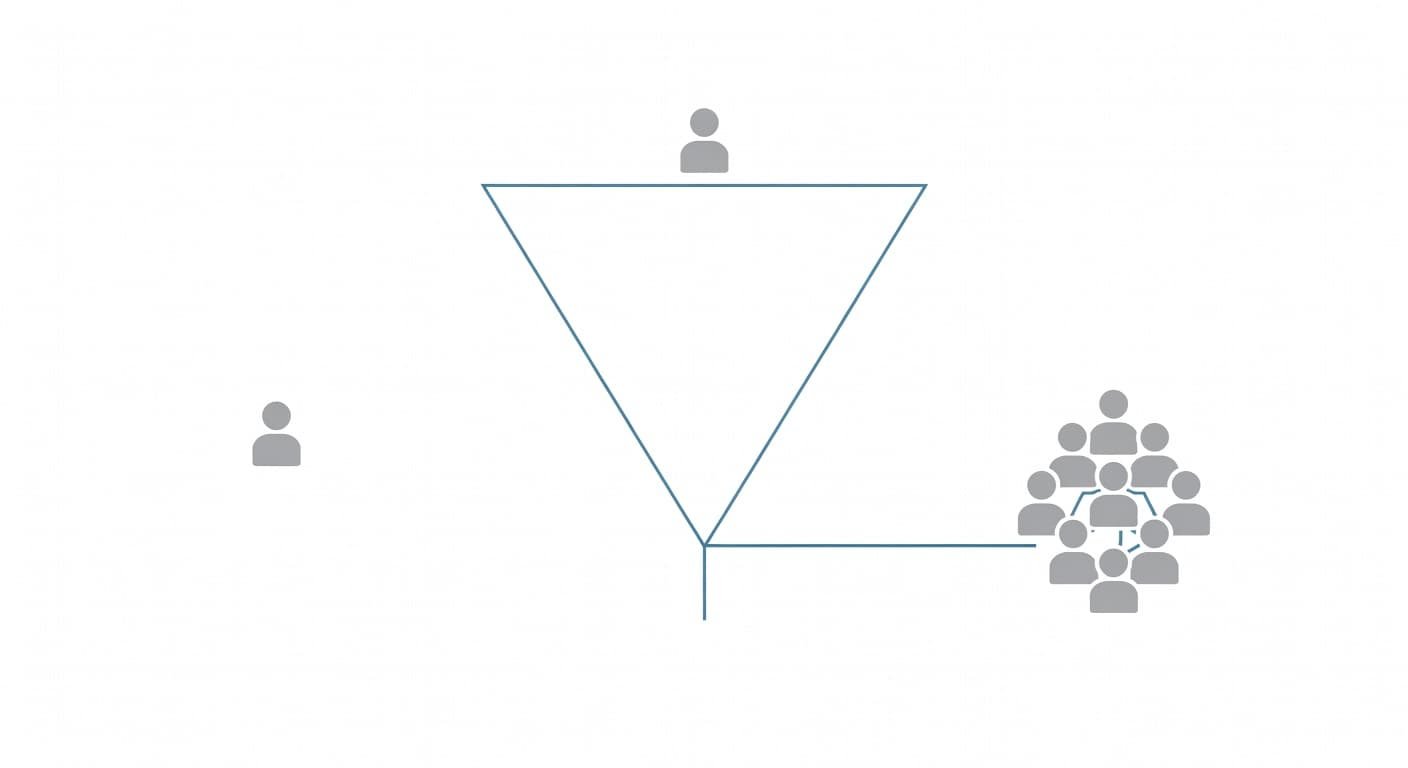
In single-user or self-serve SaaS, the buyer and the user are often the same person. A PQL can work well because one person can activate, pay, and expand without help. In multi-seat SaaS, that breaks down fast. One user may love the product, but the deal depends on teammates, an admin, a manager, or procurement.
This is why RevOps teams should define the buyer unit early. If pipeline, forecast, and quotas sit at the account level, a PQA model usually fits better. If revenue comes from many small purchases by individuals, a PQL model is often enough.
The downstream impact is practical, not theoretical. Lead scoring tracks one user’s behavior. Account scoring rolls up usage, fit, and engagement across users, domains, and sometimes billing history. Your CRM also changes. Sales needs either one strong contact with context, or an account view with top users, fit data, and the reason the account was flagged.
What signals count for PQLs and PQAs
The raw event may be the same, but the meaning changes when you score a user versus an account. Creating one project, inviting a teammate, or hitting a usage limit can matter in both models. The difference is whether those actions point to one ready buyer or to shared adoption inside a company.
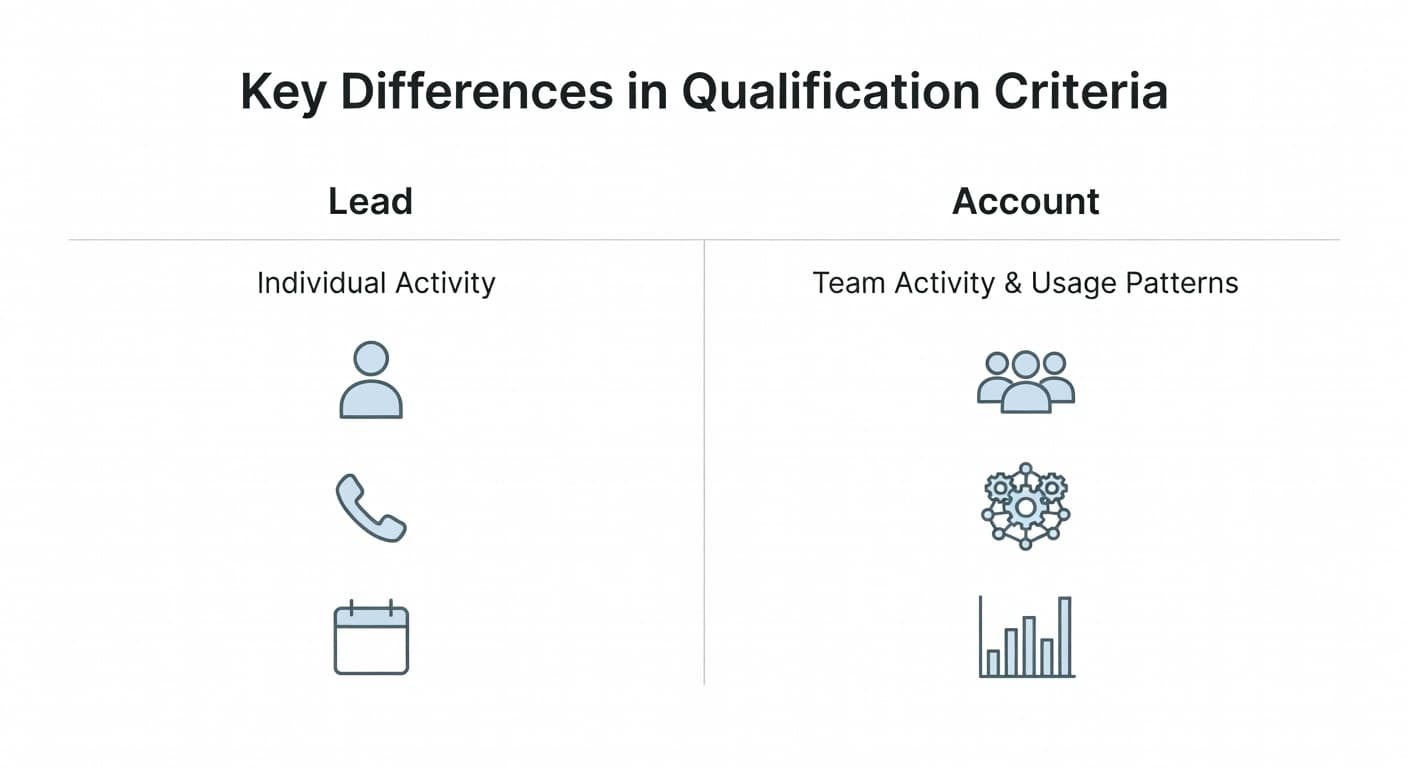
A quick side-by-side view makes the split clearer.
| Area | PQL | PQA |
|---|---|---|
| Unit being scored | One named user | One company or workspace |
| Core activation | User reaches first value alone | Multiple users reach value together |
| Strong buying clues | Repeat usage, pricing views, trial upgrade, usage cap | Seat growth, admin actions, shared assets, integrations, role spread |
| Fit check | Persona or job title fits | Account matches ICP, segment, and plan potential |
| Sales route | Contact the user | Work the account, then map decision-makers |
For a self-serve analytics tool, a strong PQL may create reports, connect data, and return several days in one week. For a team workspace product, a strong PQA may show four users from one domain, an admin invite, shared content, and an integration setup.
Recency matters in both cases. So does depth. A user who logs in ten times and never reaches value shouldn’t score well. A company with ten invited seats and only one active user shouldn’t look like a hot PQA either.
Qualify the same unit you plan to close. If the deal is won at the account level, your trigger should not stop at the lead level.
That point also helps with internal linking logic across your site. PQLs connect cleanly to product-qualified lead models and lead scoring. PQAs connect to account scoring, ICP definition, and PLG sales handoff rules.
Which model fits self-serve SaaS and which fits account-based growth
Your pricing and sales motion decide more than your data model does. If one user can swipe a card and get real value alone, a PQL-first motion makes sense. If expansion depends on team spread, admin control, or budget approval, a PQA-first motion is usually stronger.
This simple table is a good starting point.
| Situation | Better fit | Why |
|---|---|---|
| Low-price self-serve tool | PQL | One user can activate and buy |
| Team product with seat-based pricing | PQA | Shared adoption predicts revenue |
| Hybrid PLG with sales on expansion | PQL first, PQA later | One user starts, account spread triggers sales |
| Enterprise deal with security review | PQA | Buying group matters more than one champion |
For single-user SaaS, the best sales trigger often comes late. Billing intent, repeat use, or feature limits tell you more than teammate activity. In those products, forcing account logic too early creates noise because many domains will never become a real buying group.
For multi-seat or account-based SaaS, one active champion is often necessary but rarely enough. You want signs of spread across roles, not only depth from one person. That may include manager usage, admin setup, shared projects, or several users returning on separate days. If your ICP definition targets larger teams, fit should also filter the score before sales sees it.
Many B2B SaaS teams need both models. A PQL can open the door. A PQA can decide when sales should step in. That approach works well for products with a self-serve entry and a sales-assisted expansion path.
How to build a workflow sales can trust
A good qualification model is a workflow, not only a score. The score is the output. The hard part is getting clean inputs, joining them to the right buyer unit, and sending enough context into the CRM.
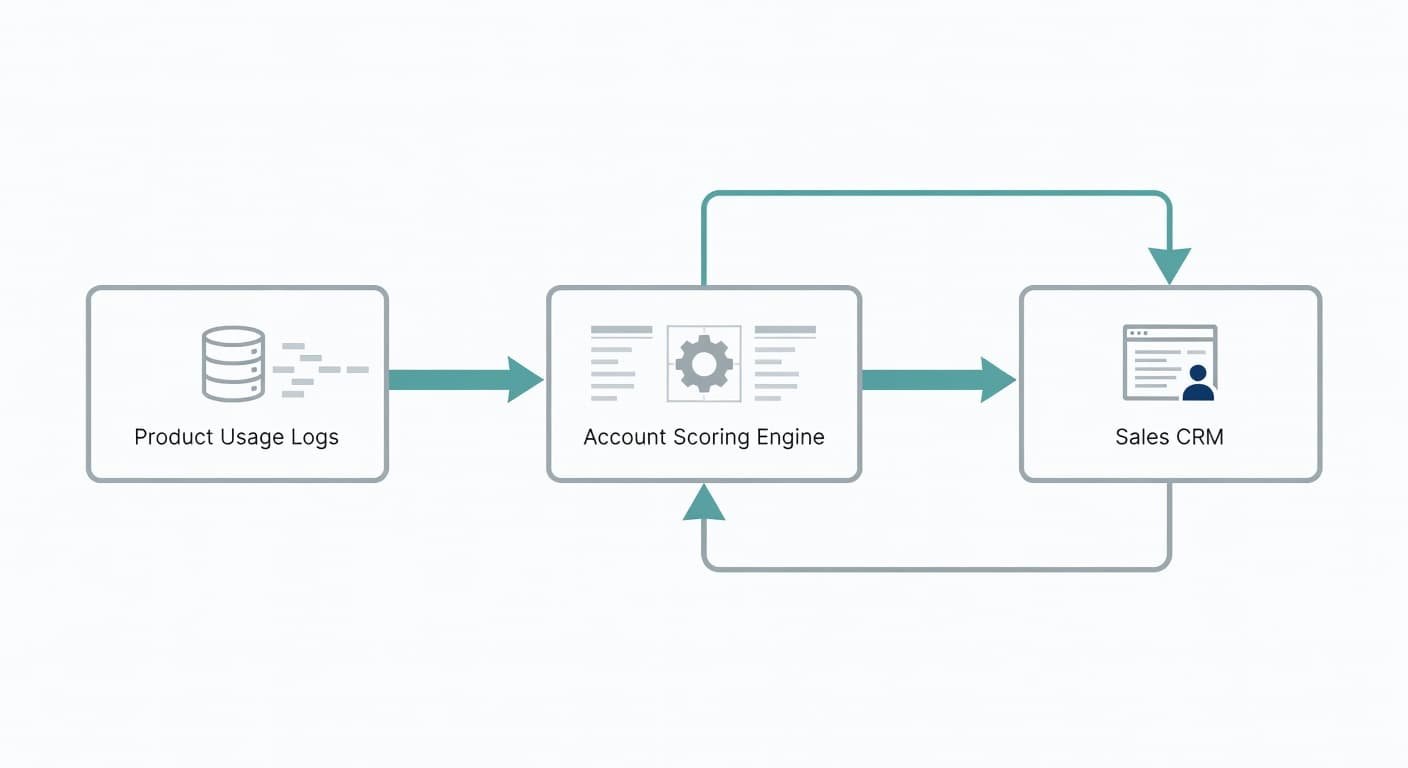
Product analytics tracks the events that matter, such as onboarding steps, core actions, collaboration events, and limits reached. A CDP or identity layer helps connect anonymous visitors, signed-in users, and company domains. A warehouse keeps a stable history and lets RevOps join product data with billing, plan, and CRM fields. Enrichment tools add account fit data from domains, which helps with ICP filtering. The CRM is where ownership, routing, and follow-up live.
Small teams don’t need a large stack on day one. You can start with product analytics, basic identity mapping, and CRM fields. Add a warehouse later when scoring rules, joins, and reporting get harder to manage.
A simple implementation checklist helps keep this sane:
- Pick five to eight product events that tie to real value, not curiosity clicks.
- Set one time window, such as 7, 14, or 30 days.
- Map every user to an account key, usually workspace ID plus company domain.
- Add fit filters from your ICP definition before routing to sales.
- Push the score, top signals, and top users into the CRM.
- Review false positives every week, then tune thresholds.
For PQLs, the CRM record should show the user, their usage path, plan, and next best action. For PQAs, it should show the account score, why it rose, which users drove it, and whether an open opportunity already exists. That last part matters because sales loses trust when alerts arrive without context or collide with active deals.
Mistakes that make both models noisy
Most bad qualification models fail for plain reasons. They score the wrong events, hold onto stale behavior, or ignore fit.
A few mistakes show up again and again:
- Teams score activity that looks busy but does not connect to value.
- They treat invited seats as active adoption.
- They use the same threshold for every plan, segment, and motion.
- They pass alerts to sales without the reason behind the score.
- They never decay old scores, so last month’s spike still looks hot.
Mixed units also cause trouble. Product may send a strong PQL, while sales is asked to close an account. Or RevOps may create a PQA, but the CRM only stores one contact and hides the rest of the usage story. That mismatch hurts the PLG sales handoff because no one agrees on what “qualified” means.
Keep the model tight. Score only behavior tied to value, check fit before routing, and give sales enough evidence to act.
Choose the unit that matches the deal
Product data is only useful when it points to the right buyer unit. A PQL works when one user can discover value, make the purchase, and expand on their own. A PQA works when revenue depends on team adoption, account fit, and shared buying motion.
The cleanest systems don’t chase every signal. They qualify the lead when the lead can buy, and they qualify the account when the account is what sales must close. That choice keeps scoring simple, routing cleaner, and follow-up far more useful.
