A phone system looks cheap until routing, CRM sync, and reporting start to matter. For most SaaS teams, the right pick between OpenPhone, Aircall, and Dialpad depends on how much operational weight your phone stack needs to carry.
Based on public pages in May 2026, OpenPhone/Quo fits small teams, Aircall fits queue-heavy sales or support, and Dialpad often lands in the middle with stronger built-in AI than OpenPhone and a lower starting price than Aircall. Start with the table, then test your own workflows.
Quick comparison for SaaS buyers
Published plans can shift by contract, region, or add-on, so confirm current details on Quo pricing and Aircall pricing.
| Criteria | OpenPhone (Quo) | Aircall | Dialpad |
|---|---|---|---|
| Best fit | Early-stage SaaS | Queue-heavy growth teams | SMB to mid-market SaaS |
| Primary use | Shared numbers, SMS | Inbound and outbound teams | Calling plus AI |
| Pricing | $15/$23/$35 annual | $30/$50/Custom annual, 3-seat min | $15/$25/Custom annual |
| Coverage | US/Canada, international extra | Covered regions, fees vary | US/Canada domestic, international varies |
| CRM/help desk | HubSpot, Salesforce on Business+, Slack, Zapier | Broad catalog, Salesforce higher up | HubSpot, Salesforce, Zendesk, Zoho on Pro+ |
| AI | Summaries/transcripts+, Sona credits | AI may cost extra | Transcripts, summaries, coaching+ |
| Analytics | Basic to solid | Strong on Pro, more via add-on | Good baseline, more on higher tiers |
| IVR/routing | Menus+, lighter controls | Strong IVR and queues | Smart routing, stronger higher up |
| Shared numbers | Strong | Confirm exact behavior | Pro+ |
| Coaching/QA | Recordings and AI notes | Monitoring and coaching tools | Real-time coaching+ |
| Main limit | Lighter call-center depth | Higher cost, add-ons | Best admin features move upmarket |
The short read is simple. OpenPhone is lean. Aircall is heavier and more operations-focused. Dialpad balances price and AI better than either extreme.
Pricing and fit by team stage
OpenPhone/Quo is the easiest starting point for founders, small revenue teams, and shared support inboxes. Its published pricing is lower, shared numbers are a core use case, and SMS is first-class. That matters when one line belongs to a small team, not a formal call center. The tradeoff is control. Once you need deeper queues, live supervision, or more native integrations, the product can feel small.
Aircall fits growth-stage SaaS teams that run inbound queues, SDR pods, or a support desk with stricter routing rules. If your phone system sits inside daily workflows, the higher price may be easier to justify. Aircall also appears to have a wider integration catalog. Still, the three-seat minimum, add-on AI, and extra number costs can change the math fast.
Dialpad often works well for teams in between. Public plan details on Dialpad pricing suggest a lower entry point than Aircall, while still giving you transcripts, summaries, and stronger coaching on higher plans. If you’re stuck between OpenPhone simplicity and a heavier system, this OpenPhone vs Dialpad comparison is a useful outside check.
Integrations, AI, and analytics decide whether reps trust the tool
Sales teams need more than call quality. They need activity logging, contact matching, call outcomes, and a clean path into HubSpot or Salesforce. Aircall looks strongest when native integrations are the first filter. Dialpad appears solid on Pro and above. OpenPhone covers common stacks well, but check whether your exact workflow is native or depends on Zapier or webhooks.
Support teams care about a different chain. They need queue rules, voicemail handling, shared ownership, ticket creation, and reports by team or tag. That pushes many multi-rep support teams toward Aircall or Dialpad sooner than they expected.

AI should help managers review calls faster, not distract buyers from core workflows. Dialpad appears strongest out of the box for live transcripts, summaries, and coaching signals. OpenPhone offers useful summaries and transcripts on Business and above, but its QA layer still looks lighter. Aircall can cover AI and detailed reporting too, although public pricing suggests that some of it may sit behind add-ons. For a routing-versus-cost lens, this Aircall vs Dialpad comparison is worth a quick read.
Routing and migration are where mistakes get expensive
Routing is the cleanest separator. OpenPhone works best when a few people share a line and handoffs stay simple. Aircall looks better for IVR trees, queues, and live monitoring. Dialpad sits between them, with smart routing and stronger controls as plans move up. If you run sales and support in one system, confirm after-hours rules, overflow paths, and time-zone behavior before you sign.
Before switching, map the work behind the number:
- Porting dates, business hours, ring groups, menus, and fallback routes.
- CRM and help desk fields, ownership rules, dispositions, and ticket triggers.
- Recording retention, SMS history, admin roles, and who can edit routing.
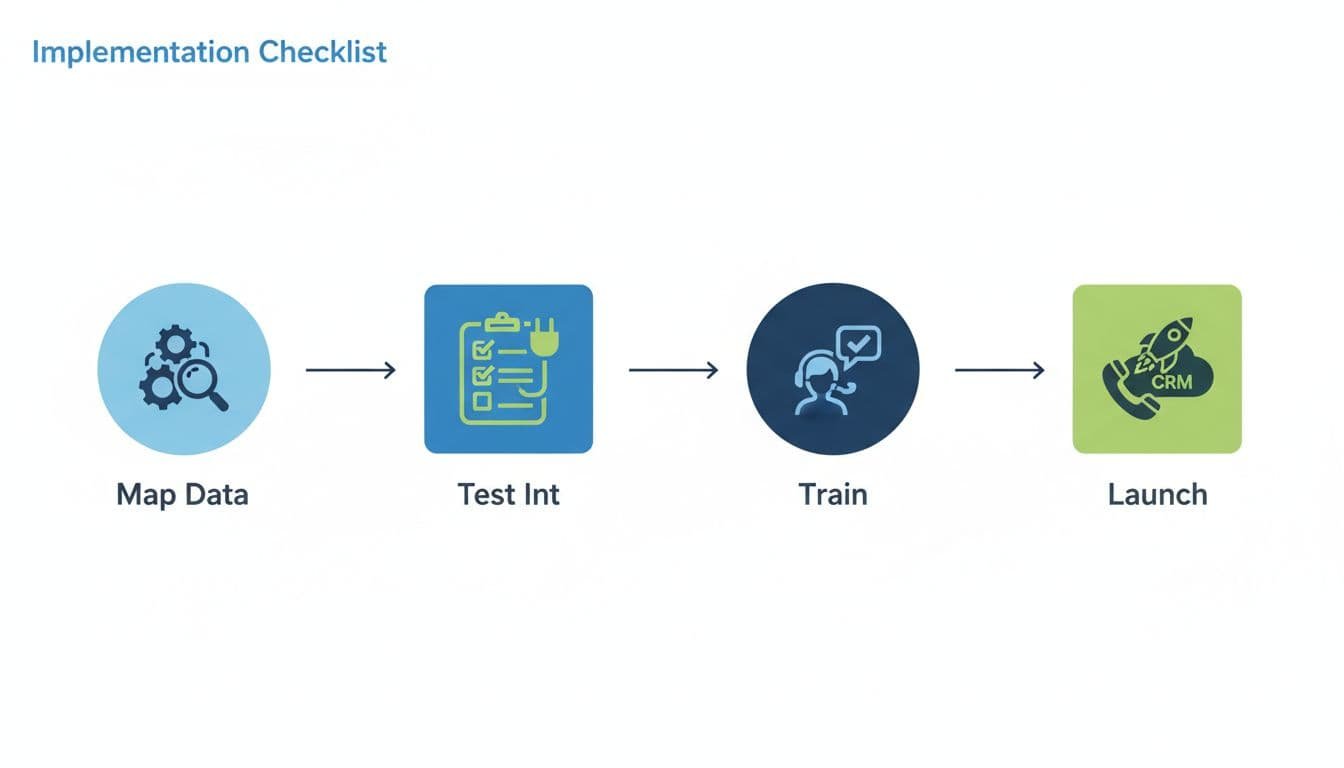
The common rollout mistakes are boring, and expensive. Teams buy on seat price, then miss number fees, AI credits, or analytics add-ons. They port every number at once, skip a pilot group, or never define what “answered” and “missed” mean in reports. Training gets skipped too. Reps need a live playbook for transfers, tags, voicemail follow-up, and ownership changes.
Conclusion
The best result in an OpenPhone, Aircall, and Dialpad evaluation comes from matching the tool to your operating model. OpenPhone/Quo is the cleanest fit for small teams, Aircall suits routing-heavy teams, and Dialpad is often the strongest middle option when AI and price both matter.
Use a short shortlist test before signing an annual deal. Run one real sales workflow, one support workflow, and one manager review workflow in each product. The platform that keeps your data, routing logic, and reporting intact with the fewest workarounds is usually the right buy.
