A workflow that handles leads, support requests, or customer data becomes hidden business infrastructure. When that platform disappears, the work behind it becomes visible fast.
This Relay.app review explains what made the platform useful, where it fell short, and what its planned August 2026 shutdown means for users. Relay’s official announcement confirms the closure, but access and migration timing vary by plan. Preserve your workflows now, while your account and its data remain available.
Key Takeaways
- Relay.app is shutting down, so it is no longer a suitable platform for new workflow automation projects.
- Free-user access ended on August 15, 2026, while paying customers retain access until September 14, 2026, at 11:59 p.m. PT; confirm timing through Relay’s official notice.
- Export the complete workspace, workflow history, connected accounts, prompts, branch rules, and approval logic before access ends.
- Do not assume Zapier Copilot or another replacement will automatically reproduce Relay’s hidden business rules, integrations, or approvals.
- Rebuild workflows in layers, test exceptions and data mappings, and monitor the new automation closely after launch.
Relay.app review: the 2026 verdict
Relay.app was an approachable workflow automation platform built around visual workflows, AI steps, app connections, and approval points. It gave small teams a practical middle ground between basic trigger-action tools and more technical orchestration systems.
For a marketer or founder, you could route a form submission, summarize a prospect’s company, request approval in Slack, and create a CRM record without building an integration from scratch. The interface also made complex, multi-step workflows less intimidating than code-first systems.
However, Relay.app is no longer a viable choice for new automation projects. Official Relay updates indicate that new signups have stopped and the service is winding down. Existing users should treat the platform as a source for documentation and exports, not as a place to build new business processes.
The strongest takeaway from this Relay.app review is simple: preserve the logic before replacing the tool. A working workflow contains business rules that may not appear in a casual diagram. No replacement can automatically reproduce all of that logic without careful review.
Relay.app is shutting down, and the deadline depends on your plan
Relay announced that access for free users ended on August 15, 2026, at 11:59 p.m. PT. Those accounts and their associated data were scheduled for permanent deletion after that cutoff.
Paying customers retain access until September 14, 2026, at 11:59 p.m. PT. Relay says paid customers won’t face further charges during this wind-down window. Confirm the timing against the official Relay.app shutdown notice before acting, since workspace access matters more than an old billing record.

If you had a free account, assume the original workspace is gone unless you exported it before August 15. Paid users should export now, even if they expect to finish the rebuild later.
Don’t assume Zapier Copilot will recreate Relay workflows automatically. Verify its current availability and capabilities in Zapier’s official documentation before planning a replacement.
An export is an archive, not a working replacement. It preserves the instructions, but every app connection, permission, trigger, and test still needs attention in the new platform.
What made Relay.app useful for workflow automation
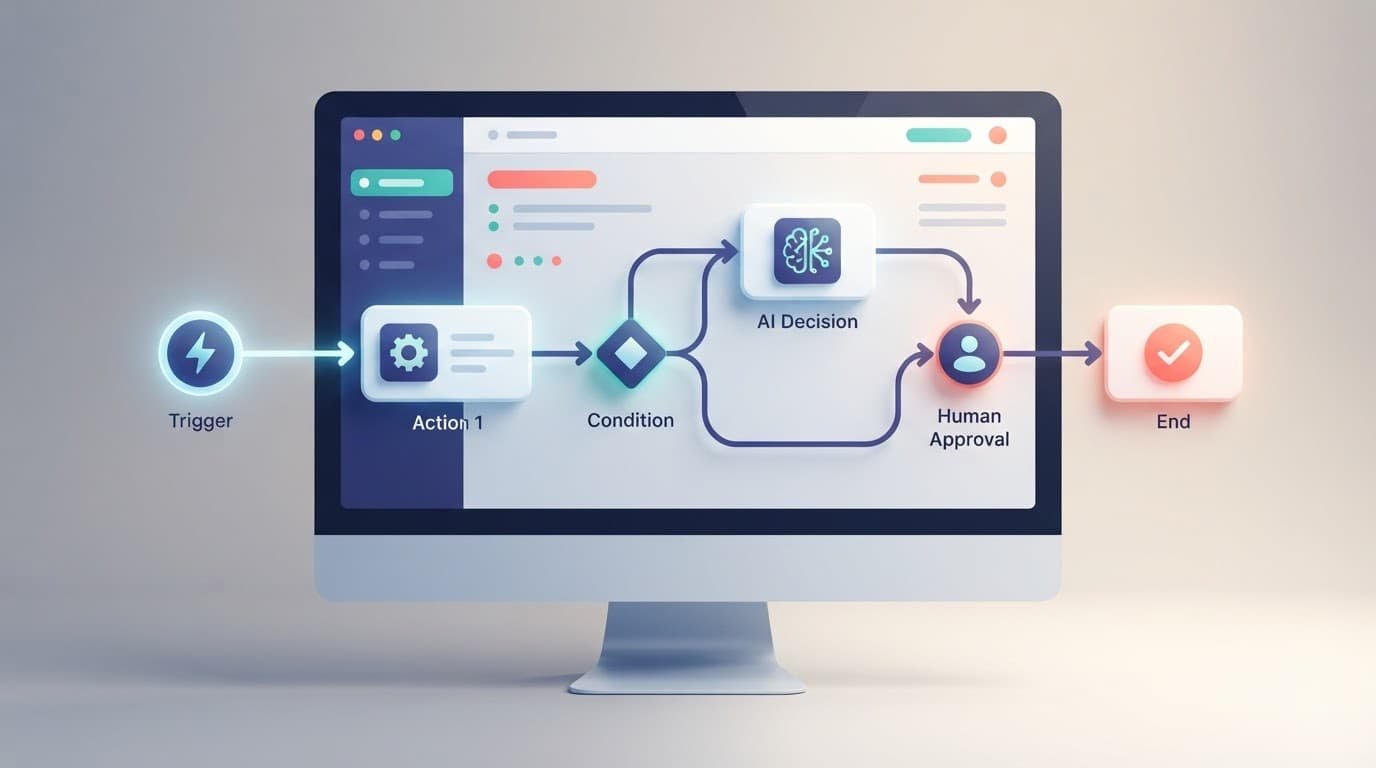
According to Relay’s product documentation, its appeal came from combining AI actions with app automation and familiar decision points. You could connect a trigger, add actions, pass data forward, and insert a review step where a person needed control.
AI steps handled common data work
Relay documented AI actions for extraction, summarization, translation, and transcription. Its AI steps documentation also describes custom AI actions, giving builders a way to define more tailored prompts.
For example, an inbound lead workflow could pull a website URL from a form submission, summarize the company, classify the request, and produce a short Slack briefing. The value wasn’t the summary itself. It was reducing manual copying as data moved through app integrations between a form, spreadsheet, Slack, and a CRM.
AI output still needed constraints, especially for extraction, classification, summarization, translation, and transcription. A founder should define accepted categories, request structured outputs, pass only relevant context, and escalate uncertain cases to a person.
Paths and approvals kept logic visible
Conditional logic allowed different actions based on a field, score, or AI result. These branching workflows could route a sales inquiry through a HubSpot integration, while a partnership request created an approval task and triggered Slack alerts.
Human approvals made Relay more suitable for processes where automation prepared work but didn’t finalize it. That mattered for publishing content, sending high-value outreach, updating account records, or approving customer-facing responses.
How a beginner could evaluate a Relay workflow
Before rebuilding a workflow, identify the business event behind its automation triggers and the measurable result it should produce. “Automate lead routing” is too broad. “Create an assigned CRM lead within five minutes of a qualified demo request” is testable.
Start with one workflow that has a clear owner and limited risk. An inbound form routing process is a useful first candidate because its inputs and outputs are usually easy to inspect.
Map the trigger, decision, and destination
Write down the trigger in plain language. It may be a new Typeform submission, a Calendly booking, a Slack message, or a new row in Google Sheets, a Google Workspace app.
Next, identify every decision. For a demo request, the workflow might use conditional logic to check company size, region, job title, and duplicate-record status. Then list each destination, such as a HubSpot contact, a sales channel alert, an owner assignment, or a follow-up task.
Relay’s step-output guidance is a useful reminder that later workflow steps depend on data created by earlier ones. During migration, capture the exact field names and fallback behavior.
Test the exceptions before the happy path
A workflow that succeeds on one polished example can still fail in production. Test an empty company website, a duplicate email address, a missing region, a rejected approval, and an API error.
Also inspect timing. A five-minute delay may be harmless for a weekly report. It can hurt speed to lead when a prospect expects a fast response. Record the expected run frequency, time zone, retries, and notification rules before rebuilding anything.
Relay.app pricing is now historical information
Older Relay plan comparisons can mislead buyers because the pricing model is no longer relevant to new purchases. New signups and free-to-paid upgrades have stopped, so no one should choose Relay based on an old monthly price.
Archived official documentation listed historical monthly AI credits of 500 for Free, 2,000 for Professional, and 2,000 for Team plans. Free users could use the Free allowance, while eligible paid customers could purchase additional credits through billing settings before shutdown.
Step allowances and published dollar prices varied across older third-party summaries. During the wind-down window, those figures may help estimate prior usage, but archived AI credits don’t predict a replacement platform’s current limits or justify buying Relay today.
Compare replacement options by cost per reliable business outcome, using current pricing calculators and checking features such as Zapier Copilot for plan eligibility and usage limits. A low-cost plan becomes expensive if it fails to deduplicate leads, loses approval context, or produces hard-to-debug errors.
Team collaboration and reusable workflow logic
Relay supported workspace access, shared workflows, folders, and shared app connections. Its workflow collaboration controls let workspace members access individual workflows.
That setup reduced reliance on one person owning every connection. Shared access didn’t replace clear process ownership. Someone still needed to define authoritative fields, review routing changes, and direct failures to the right person.
Sequences reduced repeated build work
Relay sequences were reusable sub-workflows. The Sequences documentation describes them as an advanced feature for builders already comfortable with workflows.
A sales team might have used one sequence to normalize a lead’s domain, find a CRM match, and notify an account owner. Reusing it across several workflows saved build time. It also created dependency risk, since one change could affect every workflow that called the sequence.
During migration, document each sequence separately. Identify its inputs, outputs, error rules, and every workflow that depends on it.
Security still required operational discipline
Relay’s documentation states that the company had SOC 2 Type 2 compliance. That addressed the vendor’s controls, but it didn’t fix weak workspace habits.
Before exporting or rebuilding, revoke connections nobody owns, rotate sensitive tokens when needed, and restrict access to customer data. Store exported archives in a limited-access location. An old ZIP file can contain more operational detail than teams expect.
The limits that mattered in real operations
Relay worked best when the workflow had a clear start, a defined result, and manageable branches. The central limitation for automation tools wasn’t visual automation itself, but undocumented systems with dozens of conditions and handoffs.
Visual blocks can still hide business rules. A path labeled “qualified” may contain conditional logic around employee count, territory, data enrichment, and sales capacity.
AI steps added another constraint. They can draft, classify, and extract information, but they can also return inconsistent outputs. Use structured fields, allowed values, and human approvals when a result affects revenue, compliance, or a customer relationship.
Complex integrations also need careful review. A workflow may connect to Slack, Google Workspace, or a CRM, but permissions, rate limits, object mappings, and duplicate handling still sit outside the diagram.
The same caution applies when evaluating replacements. Zapier Copilot may speed up setup, but don’t assume it understands Relay’s hidden business rules. Verify current features and test any claimed equivalent behavior against official documentation.
Export your Relay workspace before access ends
Paying customers should begin with Relay’s workspace data export instructions to export workspace data. The dashboard export creates a ZIP archive, giving you a durable record before the service closes.
Download the data export, then store it in a restricted company drive. Do not leave the only copy in a browser downloads folder or a former employee’s laptop.
Use this order to avoid missing the operational context:
- Export the complete workspace first, before editing or deleting anything.
- List each active workflow and identify its owner, trigger, downstream apps, and business purpose.
- Save representative successful and failed run history to show normal behavior and known failure patterns.
- Document connected accounts, credential owners, API keys, webhooks, and app permissions separately.
- Document the workflow steps, branch rules, and build prompts with their inputs, approval instructions, and expected outputs in plain language.
- Test the exported files by opening them on another device and confirming the archive is complete.

Before relying on the ZIP, confirm the official export procedure, eligible account types, retention period, archive format, and included objects in Relay’s current 2026 documentation. Migration guides report that Relay exports can include workflow definitions and build prompts, plus records such as execution logs and table data. Treat those reports as supplemental, and check your own archive rather than assuming every workspace contains the same objects.
Choosing a replacement for Relay.app workflows
No alternative platforms recreate Relay automatically. The right replacement depends on whether your workflow needs broad integrations, visual data handling, AI behavior, human approvals, or infrastructure control.
This comparison focuses on practical fit for former Relay users. Before choosing, verify each platform’s current availability, plans, usage limits, integrations, security documentation, hosting options, and regional availability.
| Platform | Best fit after Relay | Watch for |
|---|---|---|
| Zapier | Broad integrations and quick business automations with managed infrastructure | Task-based usage can rise with multi-step flows; review current security and plan limits |
| Make | Visual branching, data transformations, and detailed scenario logic | Steeper learning curve, especially for mappings and error handling |
| n8n | Self-hosting, custom code, or tighter infrastructure control | Your team owns implementation, security, and ongoing maintenance |
| Lindy | AI behavior, agent-style tasks, or workflows requiring human approvals | Review data handling, fallbacks, security, and current availability |
Zapier is often the easiest landing place for familiar workflows, especially when the job is “new record in one app, then update another.” Zapier Copilot is worth investigating for AI-assisted building, but check its current availability, plan terms, and usage limits. Still, Zapier Copilot doesn’t prove equivalent Relay behavior or automatic migration, so test every rebuilt workflow. Its Relay migration guide also discusses moving workflows after the shutdown.
Make is a stronger option when Relay paths include branching workflows, iterators, or data transformations. Its visual scenario builder gives operations-minded users more control, though it asks them to understand mappings and error handling.
n8n suits teams with developer support when self-hosting, custom code, or infrastructure control matters. It can provide more flexibility, but your team owns implementation, maintenance, and security decisions. Zapier’s own n8n comparison offers supplemental context, but official documentation should guide decisions about hosting, security, and current capabilities.
Rebuild in layers, then prove the workflow works
Do not rebuild a large Relay workflow as one project. Start with the trigger and first successful outcome, then add the remaining workflow steps. For a lead-routing automation, create the CRM contact and alert the correct owner first. Add enrichment, scoring, and AI classification after that base works.
If you use an AI builder such as Zapier Copilot, don’t assume it reproduces Relay’s logic. Verify its availability and behavior through official documentation and hands-on testing.
Recreate the data contract first
Every workflow has an unwritten data contract: required fields, acceptable formats, default values, and rules for duplicates. Write it down before connecting apps. For AI-assisted steps, preserve the source prompts and compare them with any build prompts generated in the destination.
For instance, define whether “company size” means an exact employee count, a size band, or a value pulled from enrichment. If the new platform gets an unknown value, decide whether it should pause, notify someone, or proceed with a default route.
Replace approvals with explicit ownership
If Relay sent approval requests before an action, rebuild the human approvals deliberately. A Slack message alone may not be enough because people can react without providing a decision record.
Set an approver, a deadline, an approved action, and a rejection route. Test what happens when nobody responds. The workflow should not leave a prospect, customer request, or deal record in limbo.
Compare run history after launch
Run the old and new versions in parallel where possible. Compare record counts, field mappings, duplicate rates, owner assignments, timestamps, approval outcomes, and error rates. For high-value workflows, review results daily during the first week.
Treat parallel testing and first-week monitoring as practical recommendations, not verified Relay requirements. That audit catches subtle differences, such as a new platform treating blank fields differently or firing twice after an edit. Reliable automation is less about impressive diagrams and more about predictable records.
Frequently Asked Questions
Is Relay.app shutting down?
Yes. Relay announced that the service is winding down, with free-user access ending on August 15, 2026, and paid-user access ending on September 14, 2026, at 11:59 p.m. PT. Check Relay’s official shutdown notice for the latest account-specific information.
Can I still use Relay.app to build new workflows?
No. New signups and free-to-paid upgrades have stopped, and Relay is no longer a viable choice for new automation projects. Existing users should focus on exporting and documenting their workflows instead.
How do I export my Relay.app workflows?
Use Relay’s official workspace data export instructions to download the complete workspace as a ZIP archive. Store it in a restricted company location, then verify that it opens correctly and contains the workflows and supporting data you need.
Will Zapier Copilot automatically migrate Relay.app workflows?
No automatic migration should be assumed. Zapier Copilot may help recreate parts of a workflow, but you still need to review prompts, integrations, permissions, data mappings, branch logic, and approval steps through testing.
What are the best Relay.app alternatives?
Zapier is often a practical choice for broad integrations and quick business automations, while Make is better suited to visual branching and data transformations. n8n may fit teams that need self-hosting or custom code, and Lindy may suit AI-focused workflows with human approvals; verify current pricing, availability, security, and usage limits before choosing.
Final thoughts on Relay.app in 2026
Relay.app’s shutdown changes the priority from experimentation to workflow preservation. Preserve business logic and document dependencies before access ends.
During that wind-down window, paying customers have until September 14, 2026, to export, document, and rebuild. Zapier Copilot isn’t a one-click substitute, so test the destination before migrating.
