The hard part in choosing a developer portal isn’t finding a long feature list. It’s picking a tool your team can run, trust, and keep useful a year from now.
For SaaS platform teams, the real choice in Backstage, Port, and Cortex is an operating model choice. One asks you to build a product, one gives you a flexible managed platform, and one pushes harder on standards and engineering health. That difference matters more than any single checkbox.
The problem this comparison is meant to solve
Most platform teams start looking at these tools for the same reason. Service ownership is fuzzy, docs are scattered, golden paths live in slide decks, and developers still ask the same setup questions in Slack every week.
A portal can fix that, but only if it matches how your team works. If the tool is too open-ended, your platform team becomes a software vendor for internal users. If it’s too rigid, developers stop caring because the portal doesn’t fit the way they build and ship.
That is why a simple feature-by-feature comparison falls short. Backstage, Port, and Cortex can all present a software catalog, show ownership, and trigger workflows. The real difference is who owns the portal, how fast it becomes useful, how much modeling work sits in front of you, and what kind of discipline the tool encourages after launch.
For smaller SaaS companies, that choice is even sharper. If you have 20 to 40 engineers and no dedicated platform function, a full internal portal may be early. A lightweight catalog, clean repo standards, and better docs may solve more than a large rollout. Once you pass that point, though, the portal stops being a nice-to-have. It becomes the place where teams find services, request common changes, and see whether they meet internal standards.
So this isn’t a contest about who has the flashiest demo. It’s about which tool best fits your current team shape, your data quality, and your willingness to own the system after day one.
What your team should clarify before choosing
Before you compare Backstage, Port, or Cortex, get clear on what problem you want to solve first. Many teams say they want a portal, but they actually want one of three things: cleaner ownership, more self-service, or stronger standards enforcement. Those are related, but they push you toward different tools.

Next, look at your source data. If team names differ across GitHub, PagerDuty, Terraform, Kubernetes, and your HR system, every portal will expose that mess. This is where many rollouts slow down. The portal isn’t failing, your underlying ownership model is.
You should also decide who will own the experience. Backstage gives you the most room, but that room has to be furnished. The Backstage documentation makes this pretty clear. You’re adopting an extensible platform, not turning on a finished internal product. If that sounds right, great. If not, the operational weight matters.
Then look at your time horizon. If leadership wants visible value in one quarter, a build-heavy path is harder to defend. Managed Backstage options exist, and Roadie’s pricing page is a useful reference point for what “managed Backstage” can look like, but even then you’re still making Backstage choices.
A short pre-selection checklist helps:
- Pick the first outcome you need in the next 6 to 12 months.
- Audit whether ownership and service metadata are clean enough to trust.
- Decide whether your platform team can own upgrades, plugins, and portal UX.
- List any hard constraints, such as self-hosting, procurement rules, or deep custom workflows.
- Define success in plain terms, such as reducing setup tickets or raising production-readiness coverage.
If you skip this step, the rest of the comparison becomes noise.
How Backstage, Port, and Cortex differ in day-to-day operation
A side-by-side view helps, but the table only matters if you read it through the lens of ownership and effort.
| Operational criterion | Backstage | Port | Cortex |
|---|---|---|---|
| Deployment model | Open-source, usually self-hosted, managed options available | Commercial, SaaS-first | Commercial, cloud-first, self-hosted options mentioned in current materials |
| Setup complexity | Highest, because you assemble and shape the platform | Lower, because core product is ready sooner | Lower to moderate, with a more opinionated model |
| Maintenance ownership | Mostly your platform team | Mostly vendor for core platform, your team for modeling and workflows | Mostly vendor for core platform, your team for policy and process design |
| Customization model | Code, plugins, frontend and backend extension | Config-driven with flexible blueprints, APIs, and actions | More opinionated configuration around catalog, scorecards, workflows, and initiatives |
| Software catalog depth | Very deep, but depth depends on your implementation | Strong and broad, especially for custom entity modeling | Strong for services, teams, dependencies, and operational views |
| Service ownership mapping | Powerful if your entity model is solid | Flexible relationship modeling | Strong ownership and dependency mapping out of the box |
| Standards and scorecards | Available, but often require more setup | Built in and configurable | One of the strongest native areas |
| Workflow automation | Scaffolder is powerful, but you build more | Strong action and self-service model | Strong workflow support with a standards-first angle |
| Integration flexibility | Highest ceiling through plugins and code | High, with API and broad SaaS integration model | Good, with focus on common engineering systems and catalog context |
| Governance controls | Possible, but usually more implementation work | Strong productized controls | Strong productized controls tied to scorecards and operational maturity |
| Developer adoption risk | Higher if UX and data quality lag | Lower if you ship focused use cases fast | Lower when teams already care about ownership and standards |
| Total operational overhead | Highest | Medium | Medium, often lower on infra and higher on commercial commitment |
The short read is simple. Backstage gives you the widest design space. Port gives you the fastest route to a flexible portal. Cortex gives you the clearest structure around service ownership and engineering standards.
Deployment, setup, and maintenance ownership
Backstage is still the choice for teams that want to own the portal as a product. That can be a strength. You can shape the UI, plugin mix, workflow entry points, and entity model around how your company works. In 2026, Backstage keeps moving, with ongoing work around the newer frontend system, catalog performance, scaffolder, and typed actions. Yet the tradeoff hasn’t changed. You own more, so you maintain more.
That maintenance isn’t only about servers. It includes plugin upgrades, backend changes, permission models, frontend consistency, and constant grooming of the catalog. Even with managed services, you still carry design and platform decisions. That’s why Backstage often works best when a platform team can give it steady product ownership.
Port takes a different path. Its pricing page and product overview show a product that is meant to go live faster, with a free entry tier and paid seat-based plans as of May 2026. Packaging can change, so treat those numbers as a current snapshot, not a long-term promise. The bigger point is that Port removes a lot of infrastructure and upgrade burden. Your work shifts from platform assembly to data modeling and experience design.
Cortex is also commercial, but it leans harder into engineering operations. The Cortex homepage and IDP overview frame it as more than a catalog. That matters if your program is led by platform and SRE together. Current public materials don’t show public pricing, so buying it usually means a sales process and a tighter vendor relationship.
Catalog depth, ownership, scorecards, and workflows
Every portal starts with the catalog, because if teams can’t find a service or know who owns it, the rest doesn’t matter.
Backstage has a strong catalog model and a large plugin ecosystem. If you have unusual entities, custom resource types, or internal systems that don’t fit standard molds, Backstage gives you the most headroom. The problem is that catalog depth doesn’t appear by magic. You have to decide how entities are defined, where metadata lives, how ingestion works, and what “owned by” means across tools.
Port’s strength is flexibility without forcing every change through code. Its blueprint model makes it easier to represent services, APIs, databases, jobs, teams, environments, and custom relationships in one place. For SaaS platform teams that need a software catalog plus self-service actions, Port often feels like the middle ground. You get more model freedom than many commercial portals, but you don’t have to build the portal framework first.
Cortex is strongest when ownership and standards are the main event. Current product materials and Cortex documentation highlight service maps, scorecards, workflows, initiatives, and MCP-based access to engineering context. If your leadership already talks in terms of production readiness, incident health, DORA metrics, or migration programs, Cortex aligns well with that language.
This is also where the tools feel different to developers. Backstage can support almost any developer journey, but only after your team builds it. Port can ship common journeys fast, because the platform is already present. Cortex can get quick traction when the first use cases tie directly to ownership gaps, risk reduction, or standards compliance.
Governance, developer adoption, and long-term overhead
Governance is easy to overrate in vendor demos and easy to underrate during rollout. A portal doesn’t help if teams don’t trust the data, but it also doesn’t help if every action needs platform approval.
Backstage gives you room to build strong governance. However, that work often lands on the same team that is already writing templates, tuning the catalog, and handling plugin churn. If your team enjoys that level of ownership, it can pay off. If not, governance becomes one more item on an already busy backlog.
Port productizes more of that experience. It tends to fit teams that want good controls, broad integrations, and developer self-service without turning the portal into a multi-quarter engineering program. In practical terms, that often improves adoption. Developers use the tool that solves today’s task with the least friction.
Cortex is often easier to justify when leadership wants measurable engineering standards. That same strength can become pressure if teams treat scorecards as reporting theater. Used well, Cortex turns standards into clear next steps. Used poorly, it becomes a dashboard people resent.
If your ownership data is wrong, every portal becomes a better-looking way to read stale metadata.
Long-term overhead is where the choice becomes clear. Backstage has the lowest license cost and often the highest internal cost. Port and Cortex shift more cost into the vendor contract and usually reduce infrastructure work. That doesn’t make them cheap. It does make the cost easier to predict.
When Backstage is the right fit, and when it isn’t
Backstage is the better fit when your platform team wants real product control. That usually means a larger engineering org, a dedicated internal platform group, and a clear need for custom plugins, custom UX, or self-hosting with few compromises.
It’s also a strong fit when your portal has to reflect unusual internal systems or deeply company-specific workflows. If your roadmap includes custom provisioning flows, custom views for different engineering roles, or strong alignment with your own design system, Backstage gives you room to do that well.
The caveat is simple. Don’t choose Backstage because it’s free. Choose it because you’re ready to own a living internal product. If your team cannot support upgrades, plugin choices, data modeling, and adoption work over time, Backstage turns into shelfware with a nice logo bar.
Managed Backstage can soften the operational load. Still, even with a service like Roadie, you’re choosing the Backstage model and its extension patterns.
When Port is the right fit, and when it isn’t
Port is usually the better fit when you want a managed platform, fast rollout, and a flexible data model without building the portal framework yourself.
That combination works well for SaaS companies in the middle range, often around 50 to 300 engineers, where platform teams need visible wins this year, not next year. Port is also attractive when you need to model more than services. Teams often want APIs, data stores, ownership groups, environments, on-call rotations, and cloud resources to live in the same graph. Port is good at that kind of breadth.
Its current use cases page also shows how much of the product is aimed at self-service, standards, cloud operations, and workflow-driven developer tasks. That makes it easier to start with one focused experience and expand later.
The caveat is that Port still requires solid thinking about data model design. “No-code” doesn’t remove modeling work. It changes where that work happens. Also, if you want a portal that behaves like a completely bespoke internal app, you may still find yourself pushing against product boundaries.
When Cortex is the right fit, and when it isn’t
Cortex is the better fit when your program is driven by service ownership, operational maturity, and standards enforcement.
If leadership is asking for production-readiness visibility, migration tracking, service health, or scorecards that teams can act on, Cortex often gets to value faster than Backstage. The product is more opinionated, and that is useful when your main problem isn’t portal flexibility. Your main problem is that teams ship without a shared definition of “good.”
Cortex also fits well where platform engineering overlaps with SRE, compliance, or engineering management. Its model speaks to those groups directly, which can help funding and adoption.
The caveat is that opinionated products always draw a boundary. If your portal strategy depends on highly custom interaction patterns, unusual frontend experiences, or broad experimentation with internal plugins, Backstage will give you more room. Cortex also tends to involve a more traditional enterprise buying process, and public pricing remains hard to pin down from current materials.
Common failure modes during selection and rollout
The first failure mode is choosing from feature lists alone. Most teams don’t fail because the tool lacked a scorecard page. They fail because nobody agreed on the source of truth for services, teams, or ownership.
The second is underestimating data cleanup. Portal projects often look like software projects, but a big share of the work is data hygiene. You need naming rules, ownership rules, and sensible entity boundaries before any portal feels trustworthy.
Another common mistake is over-customizing too early. Backstage users can spend months polishing the portal shell before solving one daily pain point. Port and Cortex users can do the same by modeling the whole company at once. Start with a narrow slice, such as service ownership, production readiness, or one golden path.
Long-term cost is another blind spot. Backstage can look cheap on paper and expensive in staff time. Commercial tools can look expensive in procurement and cheap in daily operations. Both views are incomplete unless you price the whole system over two years.
Last, teams often ignore adoption. A portal wins when developers get value in minutes. If the first release is built for platform reporting rather than developer work, usage drops fast.
A practical decision framework you can use this week
A fast selection process beats a long abstract debate. Use this matrix to narrow the field first.
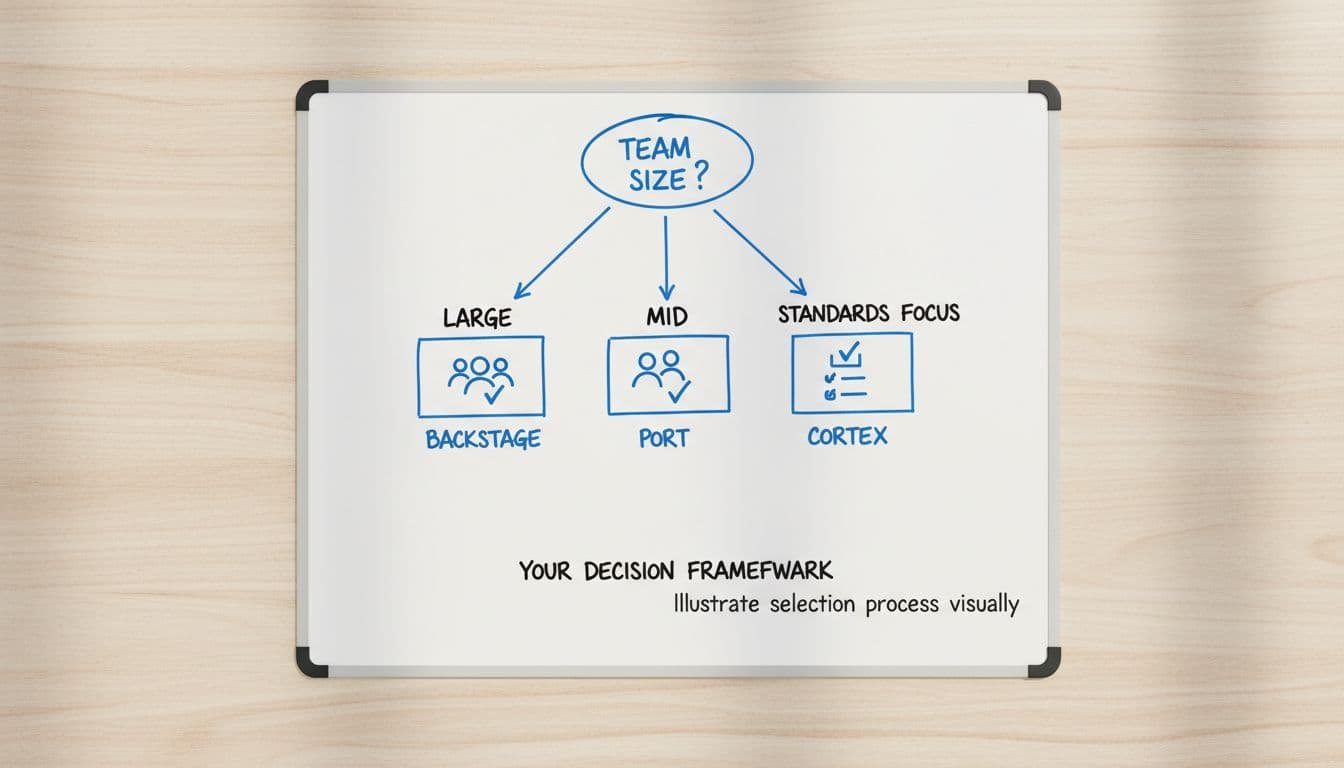
| If this sounds like your team | Best starting fit |
|---|---|
| “We want open-source, deep control, and we can staff the portal properly.” | Backstage |
| “We need value fast, broad modeling, and less platform maintenance.” | Port |
| “We need ownership clarity, scorecards, and engineering standards now.” | Cortex |
| “We don’t want to own another internal product.” | Port or Cortex |
| “We need heavy custom UI and plugin behavior.” | Backstage |
Then run a short pilot with the same structure for each vendor or option:
- Pick 15 to 25 services and map real ownership.
- Build one self-service flow that saves time today.
- Add one standards view that teams can act on without a meeting.
- Measure whether developers return on their own after week two.
If the pilot only looks good in admin screens, keep looking. If developers use it without reminders, you’ve found the right direction.
Conclusion
The best answer in a Backstage, Port, or Cortex decision usually has less to do with features and more to do with ownership. Backstage is strongest when you want to build and run your own portal product. Port is strongest when you want flexibility and faster rollout with less operational drag. Cortex is strongest when service ownership, scorecards, and engineering standards are the center of the program.
Pick the tool that matches how your team will operate after launch, not the one that sounds best in a demo. A portal only works when the data is trusted, the workflows save time, and the platform team can keep the experience alive.
