If your reports break, your whole business feels it. A Stripe dashboard looks “off”, a campaign pauses too late, or a founder asks why yesterday’s numbers changed again. That’s the moment data orchestration tools stop feeling like “engineering stuff” and start feeling like revenue protection.
In 2026, the short list for many teams is still Dagster, Prefect, or Apache Airflow. They can all run pipelines on a schedule, retry failures, and alert you. The difference is how they want you to think, and how much operational weight you’re willing to carry.
This guide focuses on real tradeoffs: reliability, visibility, developer speed, and the ongoing cost of keeping things running.
What “data orchestration” really includes (and where small teams get burned)
Orchestration is the traffic control layer for your data work. It decides when a job runs, what depends on what, how failures retry, and who gets notified. In practice, it becomes the memory of your system: “run this at 2:00 AM, backfill last week if needed, and don’t alert me for a known transient error.”
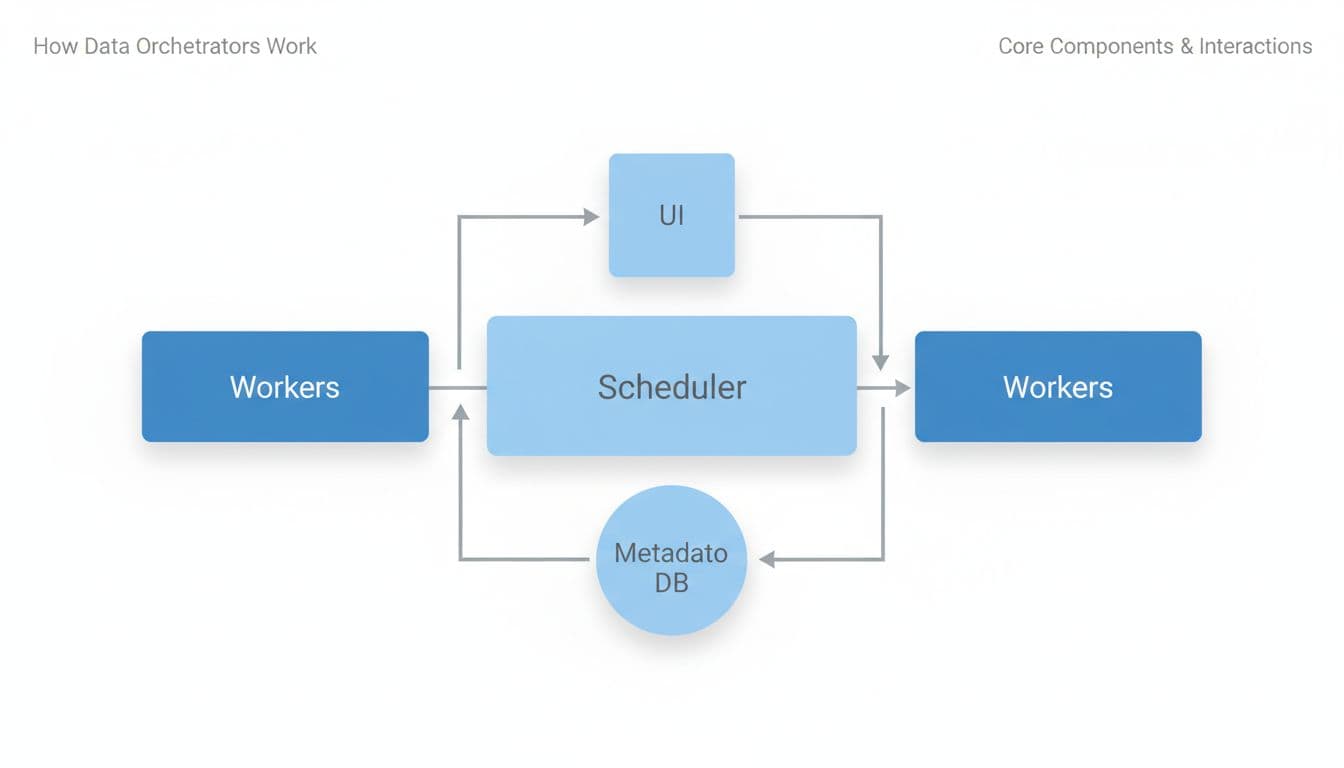
Most orchestrators share the same moving parts:
- Scheduler/orchestrator: decides what runs next (schedules and event triggers).
- Workers: execute tasks (often in containers or separate processes).
- Metadata DB: stores run history, state, retries, and often logs pointers.
- UI: shows failures, durations, dependencies, and backfills.
Small teams usually stumble in three places.
First, backfills. It’s easy to schedule “daily at 2:00 AM.” It’s harder to safely re-run 14 days because an API was down. Backfills touch idempotency, partitions, and cost.
Second, observability. At the start, “send me an email on failure” works. Later, you need context: which dataset is wrong, what upstream change caused it, and whether the issue is still happening.
Third, ops burden. Self-hosting can be fine, until secrets rotation, upgrades, and scaling hit at the same time. If you’re a solopreneur, your “on-call rotation” is just you, on your phone, during dinner.
A useful rule: if you can’t explain how retries and backfills behave, you don’t have reliability, you have hope.
Dagster vs Prefect vs Airflow in 2026: the tradeoffs that matter
All three can orchestrate Python-based pipelines, SQL jobs, and external tools. Still, they push you toward different mental models.
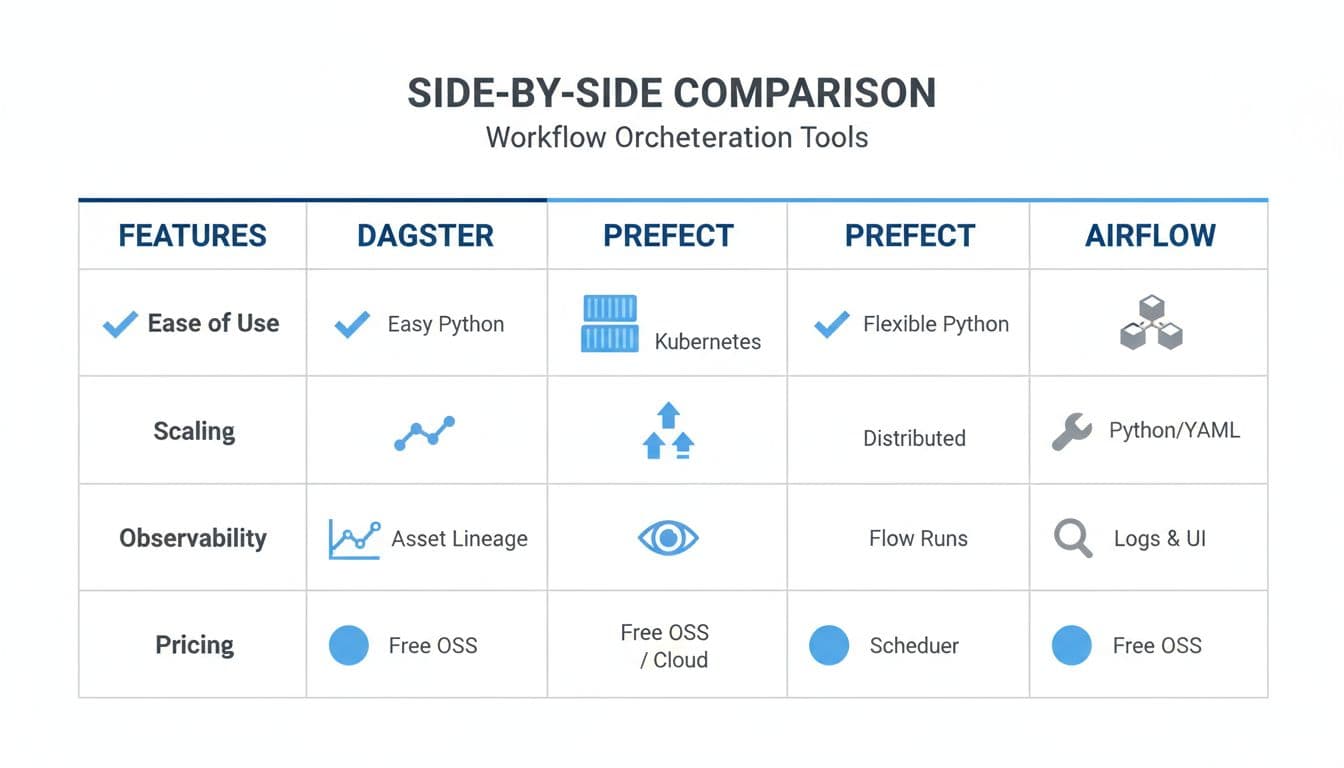
Here’s a quick side-by-side to ground the conversation:
| What you care about | Dagster | Prefect | Apache Airflow |
|---|---|---|---|
| Primary model | Data assets (datasets as first-class) | Flows (dynamic Python workflows) | DAGs (task graphs for scheduling) |
| Best fit | Lineage, quality, “what data changed?” | Fast builds, hybrid runs, pragmatic alerting | Scheduling depth, backfills, big ecosystem |
| Observability style | Asset lineage and metadata focus | Run-centric with strong notifications | Task-centric UI, mature monitoring |
| Typical cost shape | OSS plus paid cloud options (see Dagster pricing) | OSS plus paid tiers (see Prefect pricing) | OSS software, you pay infra (see Apache Airflow docs) |
| Ops burden | Moderate, improves with Kubernetes maturity | Often light to moderate, depends on agents | Often heavier at scale, more knobs |
Dagster shines when your pain sounds like, “Which table is trustworthy?” or “What downstream dashboards depend on this dataset?” Its asset-first approach makes lineage and metadata feel natural, so quality checks and ownership tend to fit better. Many teams like it when pipelines resemble a product, not just a bunch of scripts.
Prefect tends to feel easiest when you want to move quickly. It’s popular for teams that want dynamic workflows, strong retries, and hybrid execution (local, on-prem, or cloud) without a lot of ceremony. If you’re weighing hosted options, Prefect’s managed platform details are on the Prefect Cloud page.
Airflow remains the scheduling workhorse. If you need advanced scheduling patterns, clear dependency graphs, and a huge library of integrations (providers), Airflow is still a safe bet. The catch is that Airflow can feel “framework-heavy” early on, and teams often invest more in setup and maintenance to keep it smooth.
How to choose, plus a 14-day proof-of-concept plan (with acceptance criteria)
Picking an orchestrator is like picking a kitchen. Any of them can cook a meal, but the layout determines how often you bump into problems. Start with your constraints: team size, expected growth, and how expensive failures are.
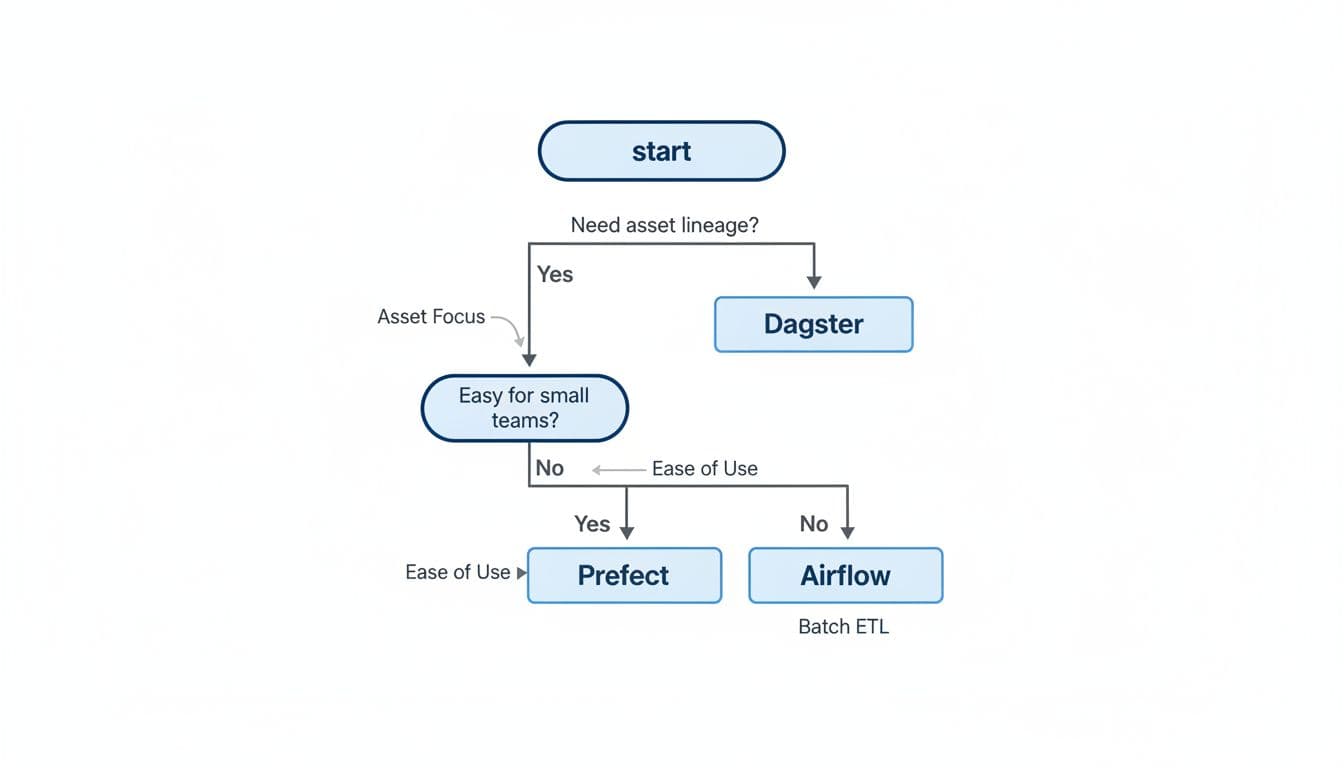
Copy-paste selection checklist (use this before you build)
- Workload shape: Mostly batch ETL with strict schedules, or event-driven workflows with sensors?
- Backfills: Do you expect frequent reprocessing (late-arriving data, API outages)?
- Retries and timeouts: Are failures usually transient, or logic-related?
- Lineage and trust: Do you need asset-level lineage and dataset metadata, or is task-level visibility enough?
- Developer UX: Will non-experts edit pipelines, or only engineers?
- Ops burden: Who upgrades the system, rotates secrets, and handles scaling?
- Cost drivers: Where does cost show up (hosted seats, run volume, cloud compute, log storage)?
A 14-day proof-of-concept plan that avoids false confidence
Days 1 to 2: Define “done” Write acceptance criteria you can measure:
- Reliability: 95% of scheduled runs complete without manual intervention.
- Backfills: Re-run 7 days of data with predictable behavior and no duplicates.
- Observability: Anyone can answer “what failed, why, and what data is impacted?” in under 5 minutes.
- Developer UX: A new pipeline takes under 2 hours to add, including alerts.
- Ops burden: A deploy or config change takes under 30 minutes end-to-end.
- Cost drivers: You can explain what increases spend (compute, hosted plan limits, retention, logs).
Days 3 to 6: Build two pipelines, not ten Implement:
- a simple daily batch pipeline (extract, transform, load), and
- one “messy” pipeline with an API rate limit and intermittent failures.
Make sure both include retries, timeouts, and alerts.
Days 7 to 10: Break it on purpose Do a forced failure drill:
- simulate bad credentials,
- simulate upstream schema changes,
- simulate partial data, then backfill.
Track: mean time to detect, mean time to recover, and how noisy alerts feel.
Days 11 to 14: Score and decide Use a simple 1 to 5 score for reliability, observability, developer UX, ops burden, and cost clarity. If two tools tie, pick the one your team can operate calmly on a Friday afternoon.
Conclusion: pick the tool you can live with, not the one you can demo
Dagster, Prefect, and Airflow can all run your pipelines in 2026, but they reward different habits. If lineage and data trust are your biggest pain, Dagster usually fits. If you want fast builds with friendly workflows, Prefect often feels lighter. If scheduling depth and ecosystem coverage matter most, Airflow stays hard to beat.
Run the 14-day test, score it honestly, then commit. The best data orchestration tools are the ones you can keep stable while your product keeps shipping.
