Enterprise customers often ask for SSO after they have already chosen your product. A solid WorkOS SSO setup lets them authenticate through their existing identity provider without forcing your team to build and maintain SAML integrations for every customer.
The implementation is more than a redirect and a callback. You need a reliable tenant-to-connection map, secure session handling, and clear boundaries between identity, provisioning, membership, and authorization.
Key Takeaways
- WorkOS SSO authenticates users through a customer’s identity provider, but it does not replace your application sessions or permission model.
- Map each SaaS tenant to an approved WorkOS connection. Do not infer tenant access from an email domain alone.
- Protect the authorization flow with validated state, fixed redirect URIs, and server-side code exchange.
- Treat SCIM or directory sync as provisioning tools, not an automatic substitute for organization membership rules.
- Test both the happy path and failure cases before asking an enterprise admin to roll out SSO.
Understand What a WorkOS SSO Setup Handles
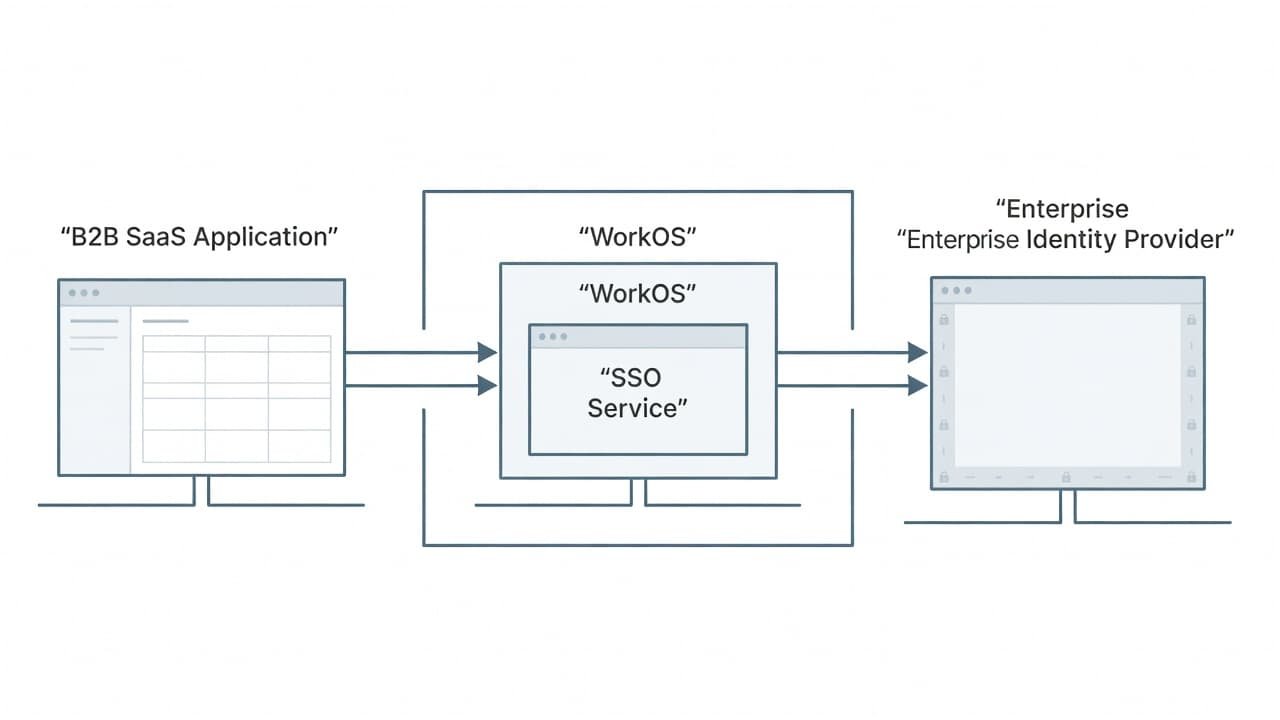
A WorkOS SSO integration sits between your app and an enterprise identity provider, such as Okta, Microsoft Entra ID, or an OIDC provider. The user starts in your application, signs in with their employer’s identity provider, and returns to your callback route with an authorization result.
The WorkOS Single Sign-On documentation covers the underlying SSO flow and supported connection approach. WorkOS supports common enterprise federation protocols, including SAML and OIDC, so your product team doesn’t need a separate protocol implementation for every customer.
Still, SSO covers only one part of the access model. Keep these responsibilities separate:
| Responsibility | What it answers | Where it belongs |
|---|---|---|
| Authentication | Who is this person? | Customer IdP and WorkOS |
| Provisioning | Should this person exist in our app? | SCIM, Directory Sync, or your app |
| Organization membership | Which customer tenant can they enter? | Your application data model |
| Authorization | What can they do there? | Your roles and permission checks |
| Session management | How does the browser stay signed in? | Your application backend |
For example, a valid SSO login proves that the identity provider authenticated a user. It does not prove that the user should be an admin in your product. Your app must assign or verify that role.
A successful SSO callback should grant access only after your application identifies the correct tenant and applies its own membership policy.
Plan the Tenant Model Before You Configure SSO
A rushed WorkOS SSO setup often fails because the team starts with the IdP configuration instead of the tenant model. First, decide how a login request identifies the customer organization.
For most B2B SaaS products, the safest approach is an explicit tenant context. That might be a customer-specific subdomain, a workspace slug, an invite link, or an organization selected before authentication. Resolve that context on your server, then look up the connection assigned to that tenant.
Store a durable mapping in your database:
- Your internal tenant or organization ID
- The matching WorkOS organization ID, if you use WorkOS organizations
- The approved WorkOS connection ID or IDs
- SSO enforcement status and allowed fallback rules
- Audit fields, including who changed the connection and when
Avoid using an email suffix as the final tenant decision. Multiple customers may use the same parent domain, contractors may use personal domains, and an employee could belong to more than one organization. An email can help begin discovery, but an explicit tenant mapping should make the access decision.
Your application also needs a policy for users who already have passwords or social login accounts. Some tenants may require SSO for every member. Others may allow password login during onboarding. Put that rule at the tenant level, then evaluate it before you start the sign-in flow.
Internal implementation guides can prevent the identity layer from becoming an undocumented set of exceptions. Link your team to a SaaS multi-tenancy guide and keep authorization rules in a dedicated RBAC implementation guide.
Build the WorkOS SSO Setup Flow
The application-side flow needs two server routes. One starts authentication. The other receives the browser after the identity provider completes its work. The exact SDK calls vary by language, but the sequence stays the same.
Start authentication with known tenant context
When a user selects “Continue with SSO,” send the request to your backend with a tenant identifier. The backend loads the tenant record and retrieves its authorized WorkOS connection.
Next, create a high-entropy state value. Store it server-side with the tenant ID, initiating browser context, return destination, and a short expiration. Then request the WorkOS authorization URL using the connection or organization context and your pre-registered callback address.
The browser can then redirect to that generated URL.
A framework-neutral sequence looks like this:
- Receive a sign-in request for a known tenant.
- Load the tenant’s approved connection ID.
- Generate and persist a one-time state value.
- Create the authorization URL with the connection context, state, and fixed callback URI.
- Redirect the browser to WorkOS.
Do not accept a connection ID directly from the browser and trust it. A user could modify that value and try to authenticate against another customer’s identity provider.
If you prefer a hosted sign-in experience, AuthKit’s SSO documentation describes the WorkOS option for handling the sign-in interface. The security and tenant rules still belong in your backend.
Handle the callback and create your app session
Your callback route receives the authorization response after the user authenticates. First, compare the returned state value with the stored record. Reject missing, expired, reused, or mismatched values before you exchange any code.
After validation, exchange the authorization code server-side through WorkOS. Use the resulting authenticated profile to locate an existing local user or create one under your product’s account-linking policy. Next, resolve the tenant that was stored with the state value, not a tenant guessed from callback parameters.
Then apply membership logic. A user can be authenticated but lack membership in the requested workspace. Your product may deny access, place the user in a pending state, or create membership based on a controlled just-in-time policy. Make that decision explicit.
Finally, create your application’s session. The IdP session and the WorkOS authentication result are not your product session. Your app should issue its own session identifier and load permissions on each request.
Store the callback’s tenant context before redirecting to the IdP. Rebuilding it from email claims after login creates avoidable cross-tenant access risks.
Secure the Callback, Cookies, and Redirects
Security controls belong in the first release, not the post-launch cleanup list. Register exact production and development callback URLs with WorkOS. Keep the list narrow, and never build a callback URI from a request parameter.
Validate state as a one-time value. Bind it to the initiating browser with a server-side session or an encrypted, signed transaction record. If your framework supports PKCE for the authorization flow you use, apply it as well.
Exchange the authorization code only from your server. Do not expose credentials in browser code, logs, analytics tools, or support screenshots. If your architecture receives signed tokens, validate the required signature and claims according to the documented flow before treating them as trusted identity data.
Your own login cookie needs the same care:
- Use
Secure,HttpOnly, and an appropriateSameSitesetting. - Rotate the session ID after authentication and privilege changes.
- Expire inactive sessions and provide revocation on logout or account removal.
- Keep session records server-side or use signed, short-lived tokens with a clear revocation plan.
A practical session security guide should document cookie settings, inactivity limits, device management, and incident response. WorkOS also offers enterprise-ready services beyond SSO, including directory and audit capabilities, on its platform overview.
Connect Customer IdPs and Test Real Failure Paths
Each customer admin configures their identity provider connection with values supplied during the WorkOS connection process. For SAML, that commonly includes service provider metadata or an ACS URL and audience. For OIDC, the admin may provide a discovery URL and client details.
Treat configuration data as tenant-specific infrastructure. Record the connection status, but do not expose sensitive metadata or secrets to ordinary workspace admins in your own product.
Test with a non-production tenant before enabling enforcement. A useful test pass covers a successful sign-in, an invalid state value, an expired callback, an unassigned user, a user who belongs to two tenants, and a customer with multiple connections. Also test a user whose IdP has no email claim or whose email changes.
SAML problems often come down to issuer values, certificate rotation, assertion attributes, clock skew, or incorrect audience settings. Keep a structured SAML troubleshooting guide for support teams, including the request ID, tenant ID, connection ID, timestamp, and safe error detail to collect.
Provisioning needs its own rollout plan. SCIM or directory synchronization can create and deactivate users, while SSO authenticates them. Connect those workflows through a SCIM provisioning guide, then decide how deactivation affects local memberships and active sessions.
Build SSO Around Clear Access Boundaries
A dependable WorkOS SSO setup starts with tenant mapping, then uses a protected authorization flow to establish identity. Your app still owns organization membership, roles, permission checks, and browser sessions.
When those boundaries stay clear, SSO becomes a predictable enterprise feature instead of a source of account-access exceptions.
